
Uncategorized
UniFi U6 vs U7 Access Points Kenya | Which Is Better
UniFi U6 vs U7 Access Points: Which Is Better for Your Network in Kenya?
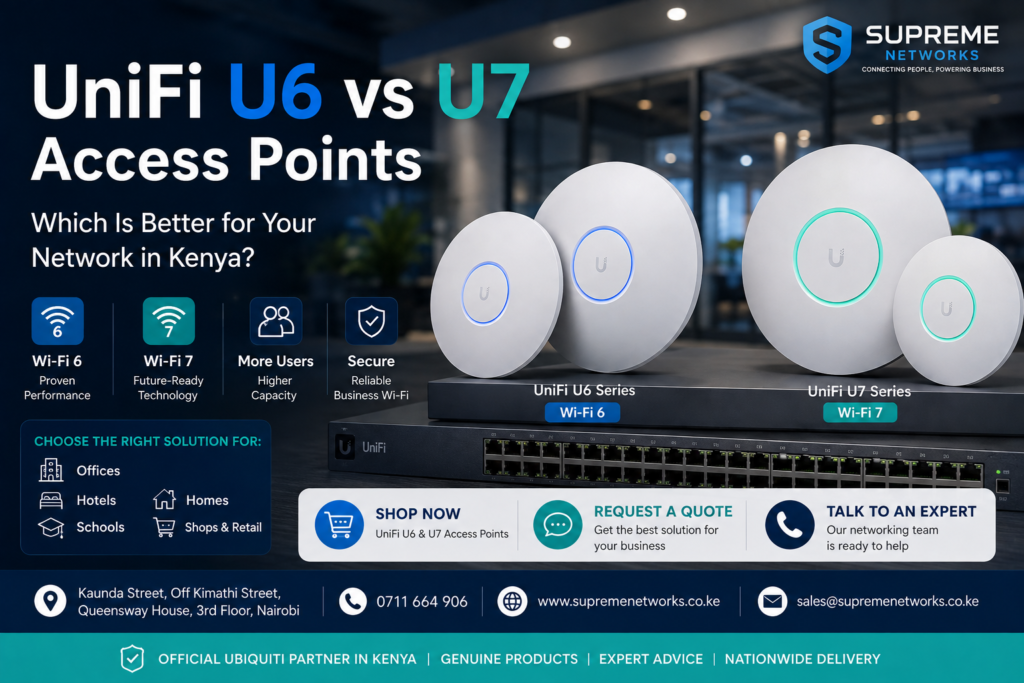
Choosing between UniFi U6 vs U7 access points in Kenya mainly comes down to your Wi-Fi needs, number of users, existing network, budget, and plans for future growth. The UniFi U6 series offers reliable Wi-Fi 6 for homes, offices, schools, hotels, and businesses, while the newer U7 series brings Wi-Fi 7 for customers who need newer technology, higher wireless capacity, and a more future-ready network. Supreme Networks supplies UniFi U6 and U7 access points in Nairobi and across Kenya, including models such as the U6+, U6 Pro, U7 Lite, U7 Pro, and U7-LR. Shop UniFi access points today or contact Supreme Networks for help choosing the right model for your network.
Looking for UniFi Access Points in Kenya?
→ Shop UniFi U6 & U7 Access Points
→ Request a Quote
→ Talk to a Networking Specialist
Whether you are upgrading slow office Wi-Fi, expanding wireless coverage, connecting more users, or building a completely new network, choosing the correct access point is important. Buying the newest or most expensive model does not always provide the best solution.
This guide compares the UniFi U6 and U7 series and explains where each option makes sense.
UniFi U6 vs U7: What’s the Main Difference?
The main difference is the Wi-Fi generation.
The UniFi U6 series primarily uses Wi-Fi 6, while the newer UniFi U7 series uses Wi-Fi 7.
Wi-Fi 6 remains an excellent choice for many current home and business networks. Meanwhile, Wi-Fi 7 introduces newer wireless technology and is attractive for new installations, high-performance networks, and customers preparing for future devices.
Here is a simple comparison:
| Feature | UniFi U6 Series | UniFi U7 Series |
|---|---|---|
| Wi-Fi Generation | Wi-Fi 6 | Wi-Fi 7 |
| Best For | Current home and business networks | New and future-ready networks |
| Performance | High | Higher potential performance |
| Device Capacity | Excellent | Designed for growing wireless demand |
| Infrastructure | Works well with many existing networks | May benefit from newer infrastructure |
| Budget | Usually more affordable | Generally higher investment |
| Typical Models | U6+, U6 Pro | U7 Lite, U7 Pro, U7-LR |
Therefore, you should choose based on your actual network requirements rather than Wi-Fi generation alone.
Why Choose a UniFi U6 Access Point?
The UniFi U6 series remains a strong choice for customers who want reliable Wi-Fi 6 without necessarily moving to Wi-Fi 7.
Wi-Fi 6 offers improved wireless efficiency compared with older Wi-Fi standards. More importantly, it handles environments with many connected devices more effectively.
Popular models include:
- UniFi U6+
- UniFi U6 Pro
These access points can serve homes and businesses where users depend on wireless connectivity throughout the day.
Choose UniFi U6 If You Need:
- Reliable Wi-Fi 6 connectivity
- Good performance for multiple users
- A cost-effective business Wi-Fi solution
- An upgrade from older Wi-Fi 4 or Wi-Fi 5 equipment
- Compatibility with an existing UniFi U6 deployment
- Wi-Fi for normal office applications
- A proven solution without immediately moving to Wi-Fi 7
For many businesses in Kenya, Wi-Fi 6 provides more than enough performance for everyday operations.
Why Choose a UniFi U7 Access Point?
The UniFi U7 series introduces Wi-Fi 7 into the UniFi ecosystem.
Wi-Fi 7 is designed to support newer wireless capabilities and greater potential network performance. Therefore, it is particularly attractive when installing a completely new network.
Popular options include:
The right model will depend on the installation.
Choose UniFi U7 If You Need:
- A new Wi-Fi 7 network
- Higher wireless performance potential
- Support for newer Wi-Fi devices
- A network designed for future growth
- Higher-capacity business Wi-Fi
- Modern infrastructure for a new office
- A long-term wireless upgrade
However, installing Wi-Fi 7 does not automatically solve every network problem.
Your router, switch, Ethernet cabling, internet connection, AP placement, and client devices also affect performance.
UniFi U6+ vs U7 Lite
The U6+ and U7 Lite are worth comparing when you need a practical access point without automatically choosing a higher-end model.
Choose the UniFi U6+ for:
- Small offices
- Homes
- Shops
- Small restaurants
- Reception areas
- Small classrooms
- Everyday business Wi-Fi
- Existing Wi-Fi 6 deployments
The U6+ can be an excellent choice when you want a balance between price and Wi-Fi performance.
Choose the UniFi U7 Lite for:
- New Wi-Fi installations
- Modern homes
- Small and medium offices
- Customers moving to Wi-Fi 7
- Networks expected to remain in service for several years
- Environments that will gradually add newer devices
If your current requirements are moderate, the U6+ may provide everything you need.
However, if you are building from scratch and want newer technology, the U7 Lite deserves consideration.
UniFi U6 Pro vs U7 Pro
The U6 Pro vs U7 Pro comparison becomes more relevant for professional and higher-demand networks.
UniFi U6 Pro
Consider the U6 Pro for:
- Medium and large offices
- Schools
- Hotels
- Restaurants
- Conference rooms
- Shared workspaces
- Busy commercial premises
The U6 Pro is particularly attractive when you want a capable Wi-Fi 6 access point for a professional network.
UniFi U7 Pro
Consider the U7 Pro for:
- New corporate networks
- High-performance offices
- Technology companies
- Modern hotels
- Educational institutions
- Premium residential networks
- Networks designed for future expansion
If you are already upgrading switches, cabling, gateways, and other network infrastructure, moving to Wi-Fi 7 may provide a stronger long-term platform.
What About the UniFi U7-LR?
The UniFi U7-LR is another option for customers considering the U7 generation.
LR stands for Long Range, making this model particularly interesting when wireless coverage is an important consideration.
It can suit environments such as:
- Larger offices
- Schools
- Warehouses
- Large homes
- Open commercial areas
- Business premises
- Hospitality environments
However, long-range capability should not replace good network design.
One powerful access point is not always better than several correctly positioned APs.
Concrete walls, floors, metal structures, shelving, doors, and other obstacles can reduce wireless signal strength.
Therefore, larger properties may require multiple access points.
Which UniFi Access Point Is Best for an Office?
For office Wi-Fi, start by considering how employees use the network.
A small office mainly using email, cloud applications, web browsing, WhatsApp, VoIP, and video meetings may have relatively moderate wireless requirements.
In this case, a U6+ or U7 Lite could be sufficient.
A larger office with many employees and wireless devices may benefit from the U6 Pro or U7 Pro.
However, you should also consider coverage.
A large office divided by concrete walls may require several access points regardless of which model you select.
UniFi U6 vs U7 for Hotels
Hotels present a different wireless challenge.
Guests expect reliable Wi-Fi inside:
- Bedrooms
- Corridors
- Reception areas
- Restaurants
- Conference rooms
- Lounges
- Outdoor areas
Trying to cover an entire hotel with one powerful access point can result in poor performance.
Instead, multiple access points can be installed strategically and managed through the UniFi ecosystem.
Wi-Fi 6 can provide an excellent hospitality solution. Meanwhile, Wi-Fi 7 is worth considering for new premium installations and future expansion.
UniFi U6 vs U7 for Schools
Schools often have many devices concentrated within relatively small areas.
A classroom may have dozens of:
- Laptops
- Tablets
- Smartphones
- Interactive displays
- Teacher devices
As a result, capacity can be just as important as coverage.
UniFi U6 access points can provide an effective Wi-Fi 6 solution for schools.
However, institutions building new networks can also consider U7 access points where newer infrastructure and future device growth are priorities.
UniFi U6 vs U7 for Home Wi-Fi
A UniFi system can also provide excellent home Wi-Fi.
For normal home use, a U6 model may already provide plenty of performance for:
- Streaming
- Smartphones
- Smart TVs
- Gaming
- Home offices
- Tablets
- Smart home devices
Meanwhile, U7 models can appeal to customers building premium home networks or buying newer Wi-Fi 7 devices.
For multi-storey homes, however, placement becomes important.
Two correctly positioned access points may provide a better experience than one high-powered AP attempting to cover every room.
Will UniFi U7 Make My Internet Faster?
Not necessarily.
Your access point and internet connection perform different roles.
For example, if your ISP provides a 100 Mbps internet connection, installing a Wi-Fi 7 access point will not automatically turn it into a 1 Gbps internet connection.
Internet performance can depend on:
- ISP package
- Router
- Firewall
- Network switch
- Ethernet cabling
- Number of users
- Wireless interference
- Client devices
- Network configuration
Therefore, identify the source of slow performance before replacing equipment.
Will U7 Solve Poor Wi-Fi Coverage?
Again, not necessarily.
Poor Wi-Fi coverage can result from:
- Bad AP placement
- Concrete walls
- Multiple floors
- Metal structures
- Long corridors
- Wireless interference
- Too few access points
- Incorrect configuration
Replacing a U6 with a U7 may not fix these problems.
Instead, adding another access point in the correct location could provide a much greater improvement.
This is why Wi-Fi planning and site surveys are valuable for larger installations.
How Many UniFi Access Points Do You Need?
There is no universal answer.
The number of UniFi APs required depends on:
- Building size
- Number of floors
- Wall construction
- Number of users
- Number of wireless devices
- Required speeds
- Application
- Interference
- Indoor and outdoor areas
- Access-point placement
Do not rely only on advertised coverage figures.
Actual wireless performance depends heavily on the environment.
For offices, hotels, schools, warehouses, and large homes, proper planning can help determine the number and placement of access points.
Don’t Forget PoE
Most professional UniFi installations use Power over Ethernet (PoE).
PoE allows compatible Ethernet cabling to carry network data and power to the access point.
Depending on your chosen UniFi model, you may need:
- Compatible PoE switch
- PoE injector
- Cat6 or Cat6A cable
- Appropriate router or gateway
- Network cabinet
- Patch panel
- Network accessories
Different UniFi access points can have different power requirements.
Therefore, always confirm PoE compatibility before buying your switch or injector.
Should You Upgrade from U6 to U7?
Upgrade when there is a practical reason.
For example, consider upgrading if:
- You are replacing an old network.
- You are building a new office.
- Wireless demand has increased.
- You are introducing newer devices.
- Your business requires higher network capacity.
- You want to prepare the network for future expansion.
However, if your existing U6 network works well, replacing every access point simply because Wi-Fi 7 is newer may not provide enough benefit to justify the cost.
First ask:
What problem are we trying to solve?
Then select the equipment that solves that problem.
UniFi U6 or U7: Which Should You Buy?
Here is a simple way to narrow your choice:
Choose UniFi U6+ if you need affordable and reliable Wi-Fi 6 for homes, small offices, shops, and everyday business use.
Choose UniFi U6 Pro if you need stronger Wi-Fi 6 performance for offices, schools, hotels, restaurants, and busier environments.
Choose UniFi U7 Lite if you want to enter the Wi-Fi 7 generation while keeping the deployment relatively straightforward.
Choose UniFi U7 Pro if you are building a newer high-performance network and want Wi-Fi 7 with greater room for future growth.
Consider UniFi U7-LR where extended wireless coverage is an important part of the network design.
Most importantly, choose based on the environment and problem you need to solve, not simply the model with the highest specifications.
Buy UniFi U6 and U7 Access Points in Kenya
Looking for UniFi access points in Kenya?
Supreme Networks supplies UniFi U6 and U7 access points for homes, offices, schools, hotels, apartments, restaurants, warehouses, and enterprise networks.
We can also help you build a complete networking solution with:
- UniFi access points
- UniFi switches
- PoE switches
- PoE injectors
- Routers and gateways
- Cat6 and Cat6A network cables
- Patch panels
- Data cabinets
- Network accessories
- Structured cabling
- Wi-Fi installation
- Network upgrades
Ready to Upgrade Your Wi-Fi?
Don’t buy an access point based only on speed or model number.
Tell us your building size, number of users, number of floors, internet speed, existing network equipment, and coverage requirements, and we can help you identify a suitable UniFi solution.
→ Shop UniFi U6 & U7 Access Points
→ Request a Quote
→ Talk to a Networking Specialist
Supreme Networks serves customers in Nairobi and across Kenya.
Supreme Networks
Kaunda Street, Off Kimathi Street, Queensway House, 3rd Floor, Nairobi
Call: 0711 664 906
Frequently Asked Questions
Is UniFi U7 better than U6?
U7 uses newer Wi-Fi 7 technology, while U6 primarily uses Wi-Fi 6. However, U7 is not automatically the best choice for every network. Your users, devices, infrastructure, budget, and future requirements should guide the decision.
Is UniFi U6 still worth buying?
Yes. UniFi U6 access points remain suitable for many home and business networks that need reliable Wi-Fi 6 connectivity.
Should I buy U6+ or U7 Lite?
Choose the U6+ when you want a practical Wi-Fi 6 solution. Consider the U7 Lite when building a newer network and moving toward Wi-Fi 7.
Should I buy U6 Pro or U7 Pro?
The U6 Pro is a strong option for professional Wi-Fi 6 deployments. The U7 Pro is better suited to customers who want newer Wi-Fi 7 technology and are designing their network with future requirements in mind.
Is UniFi suitable for businesses in Kenya?
Yes. UniFi can be used for offices, hotels, schools, restaurants, shops, warehouses, apartments, and many other commercial environments. The correct AP model and quantity will depend on the site.
Where can I buy UniFi access points in Kenya?
Supreme Networks supplies UniFi access points and supporting networking equipment in Nairobi and across Kenya.
