
Shop Logitech products in Kenya at Supreme Networks for home, office and business use. Explore computer mice, keyboards, headsets, webcams and other useful accessories.
Browse Logitech keyboards and mice for typing, browsing and daily work. For example, our listings include the K250 Bluetooth Keyboard, MX Keys S and M171 Wireless Mouse.
Discover a Logitech wireless mouse for a cleaner desk setup. Options include the M196 Bluetooth Mouse and selected M171 models. However, connection types vary by product.
Explore Logitech headsets and webcams for online meetings, calls and remote work. For example, the H390 USB headset offers a practical option for voice communication.
Choose Logitech keyboard and mouse combos for a matching desktop setup. Popular listings include the MK540 Advanced and MK270 wireless sets.
In addition, Logitech offers accessories for business meetings and video collaboration. Compare device support, connection types and features before buying.
Browse our Keyboards and Mice category for other brands. You can also explore Accessories for more computer products.
Logitech Products

Logitech Products
Logitech Products
Logitech Products
Logitech Products
Logitech Products
Logitech Products

Logitech Products
Logitech Products
Logitech Products
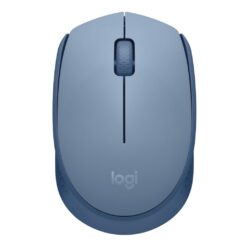
Logitech Products
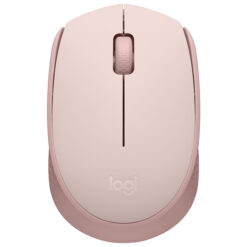
Logitech Products
Buy Logitech Products in Kenya
Logitech products help people work, learn and communicate. The brand offers computer mice, keyboards, headsets, webcams and other useful devices.
At Supreme Networks, you can explore Logitech accessories for home and office use. In addition, you can compare products for business meetings and remote work.
Before buying, check the connection type and device support. Also, compare the features of each model.
Logitech Keyboards and Mice
Logitech keyboards and mice support everyday computer tasks. They are useful for typing, browsing and working with documents.
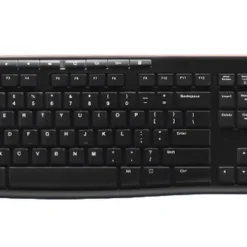
Some models connect through Bluetooth. Others use a USB receiver or cable. Therefore, choose a product that suits your computer.
Logitech Wireless Keyboards
Wireless keyboards help reduce desk clutter. They also offer more freedom when arranging your workspace.
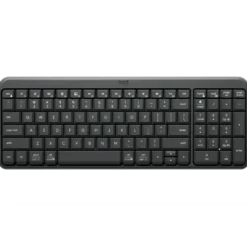
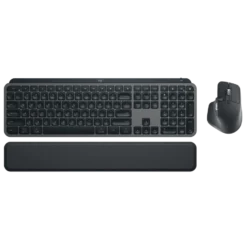
For example, the Logitech K250 is a Bluetooth keyboard. The MX Keys S offers another option for users seeking advanced typing features.
However, features vary by model. Check the layout, connection type and power requirements before ordering.
Logitech Wireless Mouse
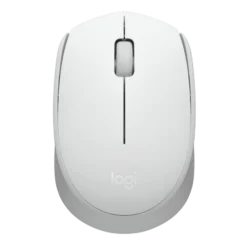
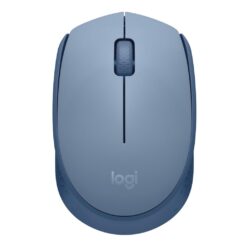
A Logitech wireless mouse can make daily computer use more convenient. For example, the M171 uses a wireless connection through a compatible USB receiver.
The Logitech M196 offers Bluetooth connectivity. As a result, it can suit devices that support its connection method.
Before buying, check the mouse size and battery needs. Also, confirm that your computer supports the connection.
Logitech Ergonomic Keyboards and Mice
Ergonomic devices aim to support more comfortable hand positions. They can be useful during long working hours.
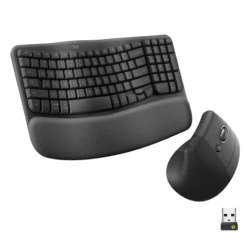
For example, Logitech offers the Wave Keys keyboard and Lift mouse. However, comfort depends on the user and desk setup.
Therefore, compare the product shape, size and supported features.
Logitech Keyboard and Mouse Combos
A keyboard and mouse combo provides both devices in one package. As a result, it can be a convenient choice for a new workstation.
Logitech MK540 Advanced
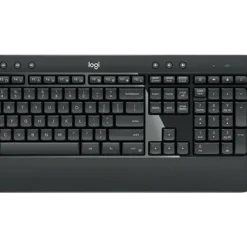
The Logitech MK540 Advanced is a wireless keyboard and mouse combo. It is suitable for supported office and home computer setups.
In addition, the matching devices can help create a tidy workspace.
Logitech MK270 Wireless Combo
The Logitech MK270 is another keyboard and mouse set. It offers a practical option for everyday computer use.
However, check the keyboard layout and receiver requirements before buying.
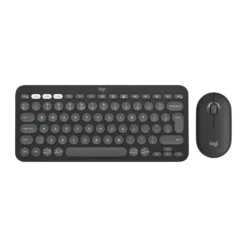
Logitech Pebble 2
The Logitech Pebble 2 range includes compact input devices. These products can suit users who prefer a simple desk setup.
Also, their compact designs can be useful where desk space is limited.
Logitech Headsets and Webcams
Logitech headsets and webcams support online communication. They are useful for video meetings, online classes and remote work.
Logitech USB Headsets
USB headsets provide audio and microphone functions through a supported connection. For example, the Logitech H390 is a USB-A headset.
It is designed for calls and computer communication. In addition, its microphone includes noise-reducing features.
However, check the connection type before buying. Not every computer has the same ports.
Logitech Wired Headsets
Some Logitech headsets use 3.5mm audio connectors. For example, the H150 uses separate audio and microphone connections.
Therefore, confirm that your computer supports the required ports. An adapter may be needed for some devices.
Logitech Webcams
Logitech webcams support video calls and online meetings. They can also be useful for online learning and remote work.
However, image quality and microphone features vary by model. Compare the supported resolution and connection before buying.
Logitech Video Conferencing Accessories
Logitech also offers equipment for business meetings. These products include selected conference cameras, speakerphones and video meeting accessories.
For example, a conference camera can help teams join meetings from a shared room. A speakerphone can also support group conversations.
However, meeting room needs vary. Therefore, check room size, software support and device connections before choosing equipment.
How to Choose the Right Logitech Product
First, identify how you plan to use the device. Next, check its features and supported connections.
Also, consider comfort, available desk space and power requirements.
- Device type: Choose a mouse, keyboard, headset or webcam.
- Connection: Check Bluetooth, USB receiver or wired support.
- Computer support: Confirm the supported operating system.
- Keyboard layout: Check the key arrangement and size.
- Mouse design: Choose a suitable shape and grip.
- Battery: Check whether the device uses batteries or charging.
- Audio: Compare headset and microphone features.
- Video: Check webcam resolution and connection type.
- Work needs: Choose features that suit your daily tasks.
- Warranty: Review the applicable product warranty.
Logitech Accessories for Home and Office
Office Workstations
Office users often need keyboards, mice and headsets. For example, wireless combo sets can help equip new workstations.
In addition, headsets can support calls and online meetings.
Home Office Setups
Home users may prefer wireless keyboards and mice. These can help create a neat desk.
Also, webcams and headsets can support remote work and online learning.
Business Meeting Rooms
Meeting rooms may need cameras, microphones and speakers. Therefore, choose equipment that suits the room and meeting software.
School and Training Use
Schools can use Logitech accessories for computer labs and online lessons. For example, keyboards and mice support everyday computer tasks.
Explore More Computer Accessories
Browse our Keyboards and Mice category for HP, Dell, Lenovo and other options.
You can also explore Accessories for chargers, adapters and other computer products.
For more information about Logitech devices, visit the official Logitech website.
Frequently Asked Questions
What Logitech products are available?
Our listings include Logitech keyboards, mice, combo sets and headsets. Other product types may vary by availability.
Are Logitech wireless mice compatible with laptops?
Many models work with compatible laptops. However, check whether the mouse uses Bluetooth or a USB receiver.
What is the difference between Bluetooth and USB wireless mice?
Bluetooth mice connect through supported Bluetooth devices. USB wireless mice use a compatible receiver.
What is a Logitech keyboard and mouse combo?
It is a package containing a keyboard and mouse. For example, the MK540 and MK270 are wireless combo options.
Are Logitech headsets suitable for online meetings?
Yes, selected Logitech headsets support computer calls and meetings. However, check the connection and microphone features.
Can I use a Logitech webcam for video calls?
Yes, compatible Logitech webcams support video calls. Check the webcam requirements and meeting software before buying.
Does Supreme Networks deliver Logitech products across Kenya?
Supreme Networks offers delivery options across Kenya. Delivery arrangements depend on the order and destination.