
Uncategorized
Best UniFi Access Points in Kenya | Buying Guide
Best UniFi Access Points in Kenya: Complete Buying Guide
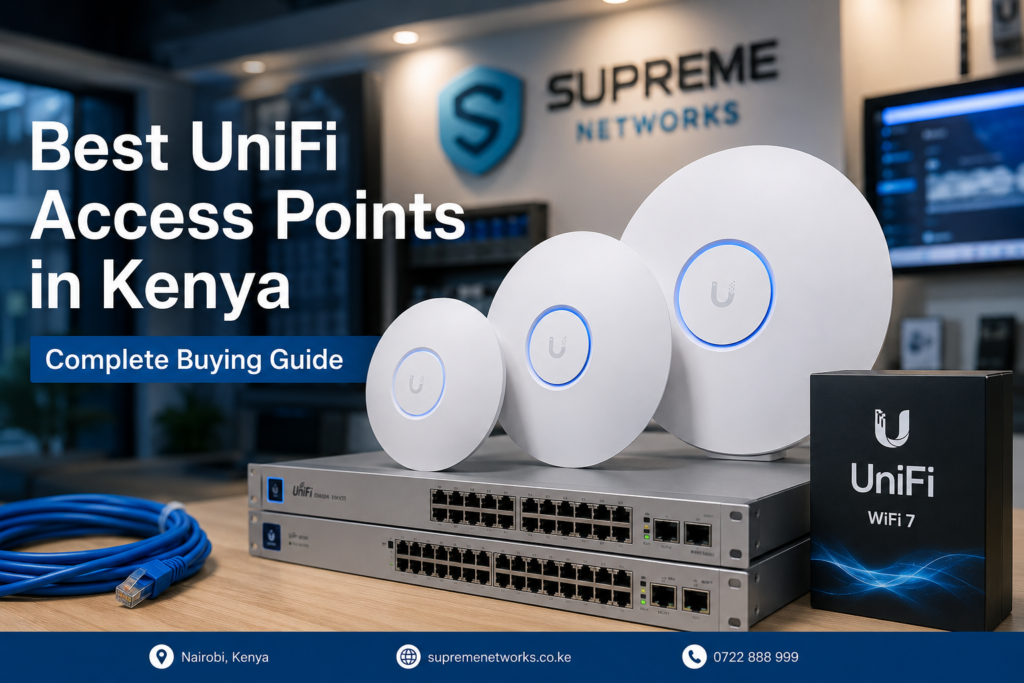
Choosing the best UniFi access point in Kenya depends on more than Wi-Fi speed. The right model should match your coverage area, number of users, internet speed, connected devices, and future network requirements.
At Supreme Networks, we supply Ubiquiti UniFi access points in Kenya for homes, offices, schools, hotels, apartments, restaurants, warehouses, and enterprise networks. The UniFi range includes established Wi-Fi 5 models, powerful Wi-Fi 6 access points, and newer Wi-Fi 7 solutions.
However, buying the most powerful model is not always the best solution. A smaller office may perform perfectly with a U6+, while a busy business environment may benefit from a U6 Pro or a newer U7 model.
This guide will help you understand the differences and choose the right UniFi access point for your network.
Why Choose UniFi Access Points?
UniFi access points are designed to provide reliable wireless coverage while allowing centralized network management.
Instead of relying on one powerful Wi-Fi router to cover an entire building, you can install multiple access points in strategic locations. As a result, users can move between different areas while remaining connected to the same wireless network.
UniFi is especially useful for businesses that need:
- Wider Wi-Fi coverage
- Support for many connected devices
- Centralized network management
- Multiple Wi-Fi networks
- Guest Wi-Fi
- VLAN support
- Indoor and outdoor coverage
- Easy network expansion
- Better control over business Wi-Fi
The UniFi ecosystem also allows businesses to expand their networks as their requirements grow.
UniFi Wi-Fi 5, Wi-Fi 6 or Wi-Fi 7?
One of the first decisions is choosing the Wi-Fi generation.
UniFi Wi-Fi 5 Access Points
Wi-Fi 5 models such as the UniFi UAP-AC-PRO remain useful for existing networks that do not require the latest wireless technology.
They can be suitable for moderate user loads, existing installations, and businesses expanding an older UniFi deployment.
However, for most new installations, Wi-Fi 6 or Wi-Fi 7 will usually provide a better long-term solution.
UniFi Wi-Fi 6 Access Points
Wi-Fi 6 models offer improved wireless efficiency and better handling of multiple devices.
Popular choices include:
- UniFi U6+
- UniFi U6 Pro
- Other U6-series models for specialized applications
Wi-Fi 6 is a strong option for offices, homes, schools, shops, restaurants, apartments, and other environments where many modern devices connect simultaneously.
UniFi Wi-Fi 7 Access Points
Wi-Fi 7 represents the newer generation of UniFi wireless networking.
Models in the U7 family are designed for customers who want higher wireless capacity, newer technology, and better preparation for future Wi-Fi devices.
Depending on the model and regional capabilities, Wi-Fi 7 can also introduce technologies such as wider channels, higher-order modulation, and improved spectrum use.
For a new business installation expected to remain in service for several years, considering a U7 access point can make sense.
Which UniFi Access Point Should You Buy?
There is no single UniFi AP that is best for every installation.
Instead, start with the problem you need to solve.
UniFi U6+ – Excellent Value for Everyday Wi-Fi
The UniFi U6+ is a practical choice for small and medium-sized environments.
Consider the U6+ for:
- Small offices
- Home networks
- Retail shops
- Small restaurants
- Reception areas
- Individual office floors
- Small classrooms
It provides Wi-Fi 6 technology without requiring customers to move immediately into the higher-end UniFi models.
For many everyday installations, this makes the U6+ an excellent balance between cost and performance.
UniFi U6 Pro – Built for Busier Networks
The UniFi U6 Pro is better suited to environments with more users and greater wireless demand.
Consider it for:
- Medium and large offices
- Schools
- Hotels
- Restaurants
- Conference rooms
- Shared workspaces
- Business premises with many wireless devices
If your primary concern is supporting a busy Wi-Fi 6 network, the U6 Pro is often worth considering.
UniFi U7 Lite – Entry into Wi-Fi 7
The UniFi U7 Lite provides a way to move into the newer UniFi Wi-Fi 7 generation without automatically choosing the highest-end access point.
It can make sense for:
- Modern homes
- Small offices
- New network installations
- Customers replacing older Wi-Fi equipment
- Businesses preparing for newer client devices
If you are building a network from scratch, comparing the U7 Lite against similarly positioned U6 models is worthwhile.
UniFi U7 Pro – Wi-Fi 7 for High-Performance Networks
The UniFi U7 Pro moves further into high-performance Wi-Fi 7 networking.
It is worth considering for environments such as:
- Corporate offices
- High-performance home networks
- Technology companies
- Hotels
- Conference areas
- Schools
- Modern business networks
The U7 Pro can be particularly attractive where the network is being designed for both current requirements and future expansion.
UniFi U7-LR – When Coverage Matters
The UniFi U7-LR is positioned toward installations where extended coverage is an important consideration.
Possible applications include:
- Larger homes
- Offices
- Warehouses
- Schools
- Open-plan commercial areas
- Large business premises
However, long-range capability does not mean one access point should be used to cover an entire complex.
Walls, floors, doors, shelving, interference, building materials, and client-device capabilities can all affect actual Wi-Fi coverage.
In many cases, several correctly positioned access points will perform better than one AP operating at maximum power.
Best UniFi Access Point for an Office
For an office, start by considering how employees actually use the network.
A small office with email, cloud applications, browsing, and video meetings may have very different requirements from a company transferring large files or operating many wireless devices.
For smaller environments, the U6+ or an appropriate U7 model may be sufficient.
For larger or busier offices, models such as the U6 Pro or U7 Pro may offer a better foundation.
More importantly, the network should be planned around coverage and capacity rather than simply choosing the most expensive access point.
Best UniFi Access Point for Hotels and Apartments
Hotels and apartment buildings present a different challenge.
Coverage may need to pass through:
- Concrete walls
- Multiple rooms
- Corridors
- Several floors
- Doors and partitions
Installing one powerful access point in the middle of the building rarely provides the best experience.
Instead, a professional design may use multiple UniFi access points connected through Ethernet and managed centrally.
This provides better control over coverage while making it easier to expand the network.
Best UniFi Access Point for Schools
Schools need both coverage and capacity.
A classroom may contain dozens of phones, tablets, and laptops. Administrative offices, libraries, laboratories, and common areas can add even more devices.
Therefore, access-point placement and capacity planning become important.
Wi-Fi 6 and Wi-Fi 7 UniFi models are worth considering for new school deployments, particularly where device density is expected to increase.
Do You Need One or Multiple UniFi Access Points?
This is one of the most important questions to answer before buying.
Do not choose the number of access points based only on advertised coverage figures.
Consider:
- Floor area
- Number of floors
- Wall construction
- Number of users
- Number of devices
- Required Wi-Fi speeds
- Access-point placement
- Interference
- Indoor versus outdoor areas
- Future expansion
For example, a large concrete office may require several access points even if its total floor area appears relatively small.
Meanwhile, an open environment may achieve good coverage with fewer APs.
Don’t Forget PoE and Network Infrastructure
The access point is only one part of the solution.
Many UniFi access points receive both power and network connectivity through Power over Ethernet (PoE).
Therefore, your installation may also require:
- Compatible PoE switches
- PoE injectors
- Cat6 or Cat6A network cable
- Router or gateway
- UniFi controller or management solution
- Patch panels
- Data cabinets
- Network accessories
Checking PoE requirements before purchasing is particularly important. Different access points can have different power requirements.
A properly designed network ensures the access point receives the correct power while also providing enough wired network capacity.
Should You Upgrade from Wi-Fi 5 to Wi-Fi 6 or Wi-Fi 7?
An upgrade can make sense if your current network experiences:
- Slow Wi-Fi during busy periods
- Too many connected devices
- Coverage problems
- Old access points
- Frequent network expansion
- New high-performance devices
- Increasing bandwidth requirements
However, replacing an access point will not solve every network problem.
Sometimes the real issue is poor AP placement, insufficient cabling, an overloaded internet connection, incorrect configuration, interference, or an inadequate router.
That is why identifying the problem should come before selecting new hardware.
UniFi Access Point Installation in Kenya
A good UniFi installation starts with planning.
For larger offices, schools, hotels, warehouses, and commercial buildings, a site survey can help determine where access points should be installed.
The installation should consider both coverage and capacity.
For example, placing an access point in a corridor may provide a strong signal in the corridor but weak performance inside offices separated by concrete walls.
Likewise, placing too many access points close together can create unnecessary interference if the network is not configured correctly.
Professional planning helps avoid these problems.
Buy UniFi Access Points in Kenya from Supreme Networks
Supreme Networks supplies UniFi access points in Nairobi and across Kenya for home, office, hospitality, education, retail, and enterprise networking projects.
Available solutions include UniFi Wi-Fi 5, Wi-Fi 6, and Wi-Fi 7 access points together with compatible networking equipment such as PoE switches, injectors, routers, network cables, cabinets, and accessories.
Not sure whether you need a U6+, U6 Pro, U7 Lite, U7 Pro, U7-LR, or another UniFi model?
Instead of selecting an access point based only on specifications, start with your environment.
Consider your floor area, number of users, number of devices, existing network equipment, and expected future growth.
Supreme Networks can help you identify a suitable UniFi solution for your installation.
Need a UniFi Wi-Fi Solution?
Contact Supreme Networks for:
- UniFi access points
- UniFi network equipment
- Wi-Fi solutions
- Network installation
- Structured cabling
- Business Wi-Fi solutions
- Network upgrades
- Site surveys
We serve customers in Nairobi and across Kenya.
Frequently Asked Questions
Which is the best UniFi access point in Kenya?
The best model depends on your environment. The U6+ can be suitable for everyday Wi-Fi 6 installations, while the U6 Pro targets busier environments. Customers building newer networks can also consider U7-series Wi-Fi 7 access points.
Is UniFi good for office Wi-Fi?
Yes. UniFi is particularly useful where a business needs multiple access points, centralized management, guest networks, VLANs, and room for future expansion.
Is Wi-Fi 7 better than Wi-Fi 6?
Wi-Fi 7 introduces newer wireless capabilities, but the best choice depends on your client devices, network infrastructure, budget, and performance requirements. A properly designed Wi-Fi 6 network can still be an excellent business solution.
Can I use several UniFi access points together?
Yes. This is one of the main advantages of the UniFi ecosystem. Multiple access points can work as part of the same managed wireless network.
How many UniFi access points do I need?
The number depends on the building size, walls, floors, number of users, device density, and required coverage. Larger installations should ideally be planned before purchasing equipment.
