
Buy Dell monitors in Kenya at Supreme Networks. Explore Dell business monitors, Full HD computer screens, USB-C hub displays and office monitors for desktop computers, laptops, corporate workstations and everyday computing.
Shop Dell P-Series Monitors for business productivity and professional office environments. Our listed models include the Dell P2425H 23.8-inch Full HD monitor and Dell P2725H 27-inch Full HD display. These provide screen options for spreadsheets, accounting, document processing and multitasking.
Explore Dell USB-C Hub Monitors, including the Dell P2425HE and P2725HE. Selected USB-C hub monitors support compatible laptop connectivity, USB peripherals and power delivery, helping simplify workstation connections.
For everyday business use, discover Dell E-Series Monitors, including the E2425H, E2425HS and E2725H. Compare screen size, video connections and stand features to select a suitable display.
Our Dell S-Series Monitors include models such as the S2725H 27-inch Full HD monitor with integrated speakers and the S2421HN 24-inch Full HD monitor. These are options for compatible home offices, multimedia and general computing.
Explore Dell SE-Series Monitors, including the SE2425H and SE2425HM, for practical everyday display requirements.
When choosing a Dell monitor, compare 23.8-inch or 27-inch screen sizes, Full HD resolution, IPS panel technology, refresh rate, HDMI or DisplayPort connectivity, USB-C support and ergonomic adjustments. Features vary by model.
Browse our wider Computer Monitors in Kenya category to compare Dell displays with HP, Lenovo, Samsung, LG and Dahua monitors.
Supreme Networks supplies Dell monitors in Nairobi, with delivery options across Kenya. Contact us for specifications, quotations, business orders and bulk procurement.
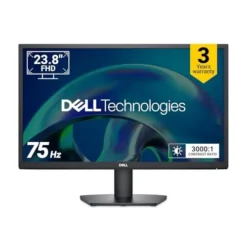
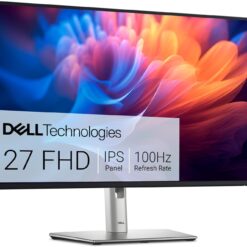
Dell Monitors
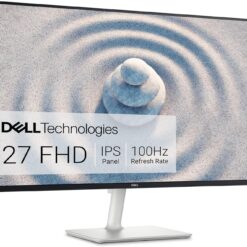
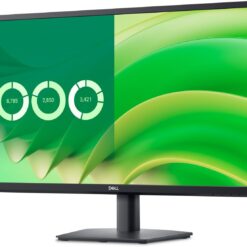
Dell Monitors
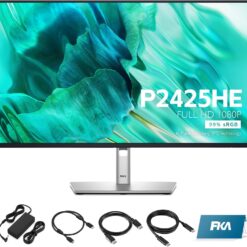
Dell Monitors
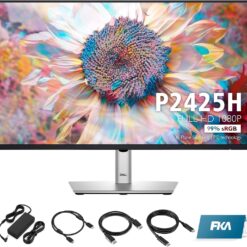
Dell Monitors
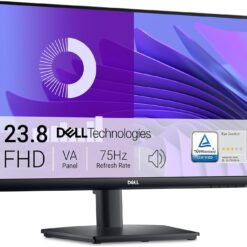
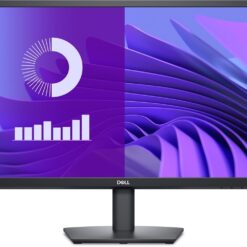
Dell Monitors
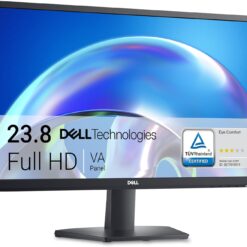
Dell Monitors
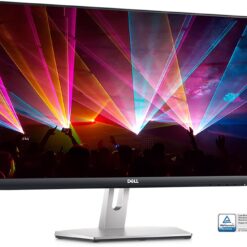
Dell Monitors
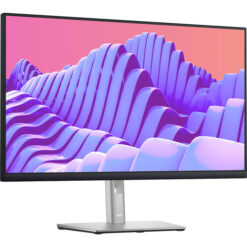
Dell Monitors
Buy Dell Monitors in Kenya
Dell monitors in Kenya provide display solutions for office productivity, corporate workstations, home computing, education and professional applications. Supreme Networks supplies Dell computer monitors in Nairobi, with delivery options across Kenya.
Our catalogue includes Dell P-Series, E-Series, S-Series and SE-Series monitors. Compare Full HD displays, IPS panels, USB-C hub models and different screen sizes to select the right monitor for your requirements.
Dell Monitor Series Available in Kenya
Dell P-Series Business Monitors
Dell P-Series monitors are designed for productivity-focused workstations. Selected models provide adjustable stands, USB connectivity and features intended for comfortable everyday computing.
Our listed P-Series models include the Dell P2425H, P2425HE, P2725H, P2725HE and P2722H.
Dell E-Series Monitors
Dell E-Series monitors provide practical display options for offices, institutions and general business computing.
Our listed models include the Dell E2425H, E2425HS and E2725H. Compare their available connections, screen sizes and stand features before ordering.
Dell S-Series Monitors
Dell S-Series displays include monitors for home computing, office productivity and multimedia applications.
Our catalogue includes the Dell S2421HN and Dell S2725H, with the latter listed as having integrated speakers.
Dell SE-Series Monitors
Dell SE-Series monitors provide display options for everyday computing and office work.
Our listed models include the Dell SE2425H and SE2425HM.
Featured Dell Monitor Models
Dell P2425H 23.8-Inch Full HD Monitor
The Dell P2425H is a 23.8-inch Full HD IPS monitor designed for compatible business and office workstations.
Its listed features include an adjustable stand, ComfortView Plus, HDMI, DisplayPort, VGA and USB hub connectivity.
It can be considered for accounting, administration, spreadsheets and general office productivity.
Dell P2425HE 23.8-Inch USB-C Hub Monitor
The Dell P2425HE is a 23.8-inch Full HD monitor with USB-C hub functionality.
It is suitable for users seeking a compatible external display with additional workstation connectivity.
Check the USB-C video, data and charging specifications before pairing it with your laptop.
Dell P2725H 27-Inch Full HD Monitor
The Dell P2725H offers a larger 27-inch-class viewing area for compatible office and business applications.
It can support spreadsheets, document processing, multitasking and general productivity.
Dell P2725HE 27-Inch USB-C Hub Monitor
The Dell P2725HE combines a 27-inch Full HD display with USB-C hub functionality.
It may suit compatible laptop-based workstations where users want to simplify connections to a monitor and peripherals.
Confirm supported power delivery and video connectivity for the exact model.
Dell E2425H 23.8-Inch Full HD Monitor
The Dell E2425H is a 23.8-inch-class Full HD monitor for everyday office and business computing.
Compare its input connections and stand features with your computer requirements.
Dell E2425HS 23.8-Inch Monitor with Speakers
The Dell E2425HS is listed as a Full HD monitor with integrated speakers.
It can be considered for compatible office applications and multimedia use where built-in audio is useful.
Dell E2725H 27-Inch Full HD Monitor
The Dell E2725H is a 27-inch Full HD IPS monitor with VGA and DisplayPort connectivity listed on our website.
It provides a larger display area for office work, administration and general computing.
Dell S2725H 27-Inch Monitor with Integrated Speakers
The Dell S2725H is a 27-inch Full HD monitor listed with integrated speakers.
It may suit home computing, multimedia and general office applications.
Dell SE2425H and SE2425HM Monitors
The Dell SE2425H and SE2425HM are 23.8-inch-class Full HD displays listed in our catalogue.
Compare their individual specifications, including available video connections and refresh rates.
Dell S2421HN 24-Inch Full HD Monitor
The Dell S2421HN provides a Full HD display option for compatible everyday computing and multimedia applications.
Dell P2722H 27-Inch Full HD Monitor
The Dell P2722H is a 27-inch-class Full HD monitor from Dell's business-oriented P-Series range.
Review its connectivity and ergonomic specifications when comparing it with newer P-Series models.
Dell Monitor Screen Sizes
Dell 19-Inch and 20-Inch Monitors
Compact Dell monitors may suit reception desks, small workstations and legacy computer environments.
Our wider Dell catalogue includes the Dell E2016HV 19.5-inch monitor, which uses a 1600 × 900 display resolution and VGA input.
Dell 22-Inch Monitors
22-inch-class monitors can provide a compact workspace for administration, education and general computing.
Dell 24-Inch Monitors
Dell 23.8-inch and 24-inch monitors are practical options for office productivity, business workstations and home computing.
Our listed models include P2425H, P2425HE, E2425H, E2425HS, SE2425H and SE2425HM.
Dell 27-Inch Monitors
27-inch monitors provide a larger viewing area for documents, spreadsheets and compatible multimedia applications.
Our catalogue includes the P2725H, P2725HE, E2725H, S2725H and P2722H.
Dell Monitor Resolution Guide
Full HD Dell Monitors
Full HD resolution provides 1920 × 1080 pixels and is suitable for many office, education and everyday computing applications.
Most of the Dell models featured in our current category use Full HD resolution.
QHD Dell Monitors
Standard QHD resolution provides 2560 × 1440 pixels, offering additional detail and workspace compared with Full HD.
QHD may suit users who regularly work with multiple windows or detailed applications.
4K UHD Dell Monitors
Selected Dell monitor families include 4K UHD models with 3840 × 2160 resolution.
These displays can support suitable professional and high-resolution computing applications. Contact us to enquire about specific models.
Dell IPS Monitors
IPS stands for In-Plane Switching, a display panel technology commonly associated with wide viewing angles and consistent colour presentation.
Selected Dell monitors in our catalogue, including the P2425H and E2725H, use IPS panels.
IPS displays can be useful for office productivity, shared viewing and general computing. For colour-critical applications, compare the exact monitor's colour specifications.
Dell USB-C Hub Monitors
What Is a USB-C Hub Monitor?
A USB-C hub monitor can provide compatible display and peripheral connectivity through USB-C connections.
Depending on the model, USB-C functionality may include video input, USB data, laptop charging and additional ports.
Dell P2425HE USB-C Hub Monitor
The Dell P2425HE provides a 23.8-inch Full HD display with USB-C hub functionality.
It may suit business users working with compatible laptops and office peripherals.
Dell P2725HE USB-C Hub Monitor
The Dell P2725HE provides a larger 27-inch Full HD display with USB-C hub features.
It can be considered for compatible professional and business workstations.
USB-C Laptop Compatibility
Not every USB-C port supports video output. Check whether your laptop supports the required display mode and the monitor's USB-C capabilities.
Also confirm charging wattage if you intend to power your laptop through the monitor.
Dell Monitors for Business and Office Use
Corporate Offices
Dell monitors can support standardised workstations across business departments.
When selecting monitors for multiple employees, consider consistent specifications, connectivity, ergonomics and warranty requirements.
Accounting and Finance
Accountants and finance teams may benefit from larger displays when working with spreadsheets, reports and business software.
Reception and Customer Service
Compact Dell monitors can suit reception counters, customer service desks and administrative workstations.
Educational Institutions
Schools, colleges and training centres may require monitors for computer laboratories, staff offices and learning environments.
Home Offices
Dell monitors can provide additional viewing space for compatible laptops and desktops used for remote work or everyday computing.
Dell Monitors for Professional Applications
Software Development
Developers may prefer larger monitors or multiple-display arrangements for code editors, documentation and testing tools.
Data Analysis
Business analysts may benefit from additional screen space when working with spreadsheets, dashboards and reports.
Graphic Design
For graphic design, review the monitor's resolution, colour gamut, calibration options and colour accuracy.
Not every office monitor is intended for colour-critical professional work.
Multitasking
Users who regularly work with several applications may benefit from larger displays or dual-monitor setups.
Dell Monitor Connectivity Options
HDMI
HDMI is commonly used to connect compatible monitors to desktop computers, laptops and other video devices.
DisplayPort
DisplayPort is widely used for business and professional computer displays.
Check the supported resolution and refresh rate of the monitor and connected computer.
USB-C
Selected Dell monitors provide USB-C connectivity for compatible laptop and workstation setups.
USB-C support varies by model, including video, data and charging capabilities.
VGA
Some Dell monitors support VGA connections for compatibility with older computer systems.
For example, the Dell E2725H is listed with VGA and DisplayPort inputs.
Ergonomic Features of Dell Monitors
Height Adjustment
Selected Dell business monitors provide adjustable stands to help users position the screen comfortably.
Tilt and Swivel
Some Dell monitors support tilt and swivel adjustments, depending on the model.
Portrait Orientation
Selected Dell P-Series monitors support pivot adjustments for portrait-oriented viewing.
VESA Mounting
Compatible Dell monitors can be mounted on suitable monitor arms or wall brackets.
Confirm the mounting pattern, monitor weight and bracket compatibility before installation.
How to Choose the Right Dell Monitor
1. Identify Your Main Application
Determine whether the monitor will be used for office productivity, professional work, education or home computing.
2. Choose the Screen Size
Consider your desk space, viewing distance and preferred workspace.
3. Compare Resolution
Full HD suits many everyday tasks, while QHD and 4K UHD can provide additional pixels for suitable applications.
4. Check Panel Technology
Compare IPS and other available panel technologies based on viewing angles, contrast and colour requirements.
5. Review Connectivity
Ensure the monitor supports your computer's HDMI, DisplayPort, USB-C or other video output.
6. Consider Ergonomics
Review stand height adjustment, tilt, swivel, pivot and mounting support.
7. Check Audio Requirements
If built-in audio is important, select a model with integrated speakers, such as a compatible Dell S2725H or E2425HS.
8. Confirm Warranty Terms
Review the applicable warranty and support conditions before ordering.
Dell Monitors for Corporate and Bulk Orders
Supreme Networks supports enquiries for business and institutional monitor procurement.
When requesting a quotation, provide the required quantity, screen size, resolution, connectivity and preferred Dell model.
For laptop-based workstations, specify whether USB-C video, USB hub features or laptop charging is required.
Frequently Asked Questions About Dell Monitors
Where Can I Buy Dell Monitors in Kenya?
Supreme Networks lists Dell monitors in Nairobi and provides delivery options across Kenya. Browse our catalogue or contact us for quotations.
Do You Sell Dell 24-Inch Monitors?
Yes. Our listed models include Dell P2425H, P2425HE, E2425H, E2425HS, SE2425H and SE2425HM.
Do You Sell Dell 27-Inch Monitors?
Yes. Our catalogue includes Dell P2725H, P2725HE, E2725H, S2725H and P2722H.
What Is the Difference Between Dell P-Series and E-Series?
Dell P-Series is generally productivity-oriented and often includes additional ergonomic and connectivity features. E-Series provides practical business display options. Exact features vary by model.
What Is the Difference Between Dell P2425H and P2425HE?
Both are 23.8-inch Full HD business monitors, but the P2425HE is a USB-C hub model with additional connectivity features.
What Is the Difference Between Dell P2725H and P2725HE?
Both are 27-inch-class Full HD business displays. The P2725HE adds USB-C hub functionality for compatible workstation setups.
Can I Connect a Dell Monitor to an HP or Lenovo Computer?
Yes, provided the devices have compatible video connections and support the required display resolution.
Can I Connect a Dell Monitor to a Laptop?
Yes. Check the laptop's video output and the monitor's supported inputs.
Do Dell Monitors Have Built-In Speakers?
Selected models do. Our listed Dell S2725H and E2425HS are examples of monitors with integrated speakers.
Do All Dell Monitors Support USB-C?
No. USB-C connectivity varies by model. Check the exact specifications before ordering.
Can Dell Monitors Be Wall Mounted?
Selected models support compatible VESA mounting. Confirm the mounting specifications before purchasing a bracket.
Do You Supply Dell Monitors for Bulk Orders?
Contact Supreme Networks with your preferred models, specifications and quantities for a quotation.
Order Dell Monitors in Nairobi, Kenya
Shop Dell monitors in Kenya at Supreme Networks. Explore Dell business monitors, Full HD displays, USB-C hub monitors and office computer screens.
Contact us for specifications, quotations, corporate orders and delivery enquiries.
Visit Supreme Networks at Queensway House, 3rd Floor, Kaunda Street, Nairobi.
Call 0711664906 or email [email protected].