
Uncategorized
MikroTik Multi-WAN: Keep Your Business Connected
When One Internet Connection Isn’t Enough: MikroTik Multi-WAN for Business
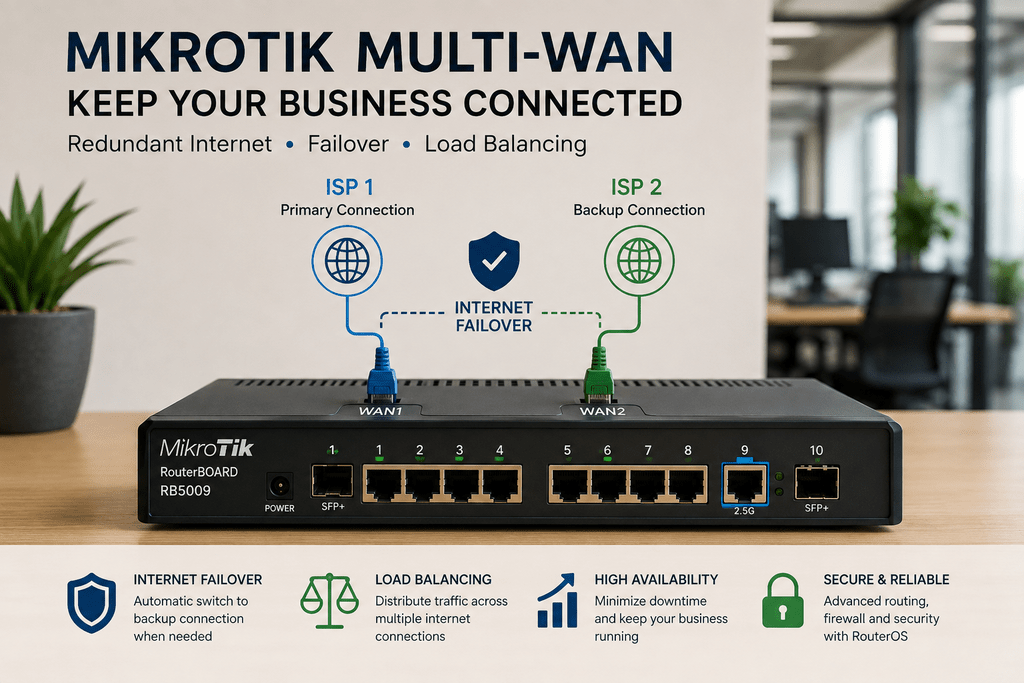
Your fibre connection goes down. Suddenly, cloud applications stop working, emails cannot send, VoIP calls disconnect, and online transactions come to a halt.
For a business that depends on internet connectivity, even a short outage can become expensive.
A MikroTik multi-WAN setup can help reduce this risk by allowing a business network to use more than one internet connection.
Two Internet Providers, One Business Network
Instead of depending entirely on one ISP, a business can connect two internet services to a MikroTik router.
For example, you might have:
Primary connection: Fibre internet
Backup connection: Another fibre provider, fixed wireless, or 4G/5G internet
The MikroTik router then becomes the central point controlling how those connections are used.
What Happens When the Main Internet Goes Down?
This is where internet failover becomes useful.
The MikroTik router can use one connection as the primary internet service. If that connection becomes unavailable, properly configured failover can move network traffic to the backup connection.
When the primary service becomes available again, the router can return traffic according to the configured routing policy.
For users in the office, this can mean significantly less disruption.
Failover Isn’t the Same as Load Balancing
These two terms are often confused.
Failover keeps a secondary connection available for use when the preferred connection fails.
Load balancing, on the other hand, distributes traffic across multiple internet connections according to the network configuration.
Some businesses only need redundancy. Others may benefit from using both connections.
The correct setup depends on the internet services, applications, traffic patterns, and reliability requirements of the business.
Where Does Multi-WAN Make Sense?
A backup internet connection becomes particularly valuable when losing connectivity directly affects business operations.
Examples include offices using cloud applications, retail locations with online systems, hotels providing guest internet, CCTV installations requiring remote connectivity, and organizations using VoIP communication.
It can also be useful for businesses operating VPN connections between different locations.
Which MikroTik Router?
There is no single MikroTik router required for every multi-WAN installation.
A smaller network may have relatively modest routing requirements. Meanwhile, a busy office with several internet connections, VLANs, VPNs, firewall rules, and heavy traffic may require considerably more processing capacity.
Models such as the MikroTik L009 and RB5009 can be considered depending on the size and performance requirements of the network. Larger environments may require equipment from the CCR series.
The router should therefore be selected after considering both the internet connections and the internal network.
Redundancy Starts With Good Design
Adding a second ISP does not automatically make a network resilient.
The router configuration, switches, wireless network, power backup, DNS, VPNs, and other network services can all affect availability.
Therefore, multi-WAN should form part of a broader network design rather than being treated as a single setting on the router.
Keep Your Business Connected
If internet downtime affects your operations, it may be time to consider a more resilient network.
Supreme Networks supplies MikroTik routers and networking equipment for businesses and organizations in Kenya. We can help you identify suitable MikroTik hardware for multi-WAN, internet failover, network redundancy, and business connectivity requirements.
Contact Supreme Networks for MikroTik pricing, availability, and assistance with your network requirements.
