
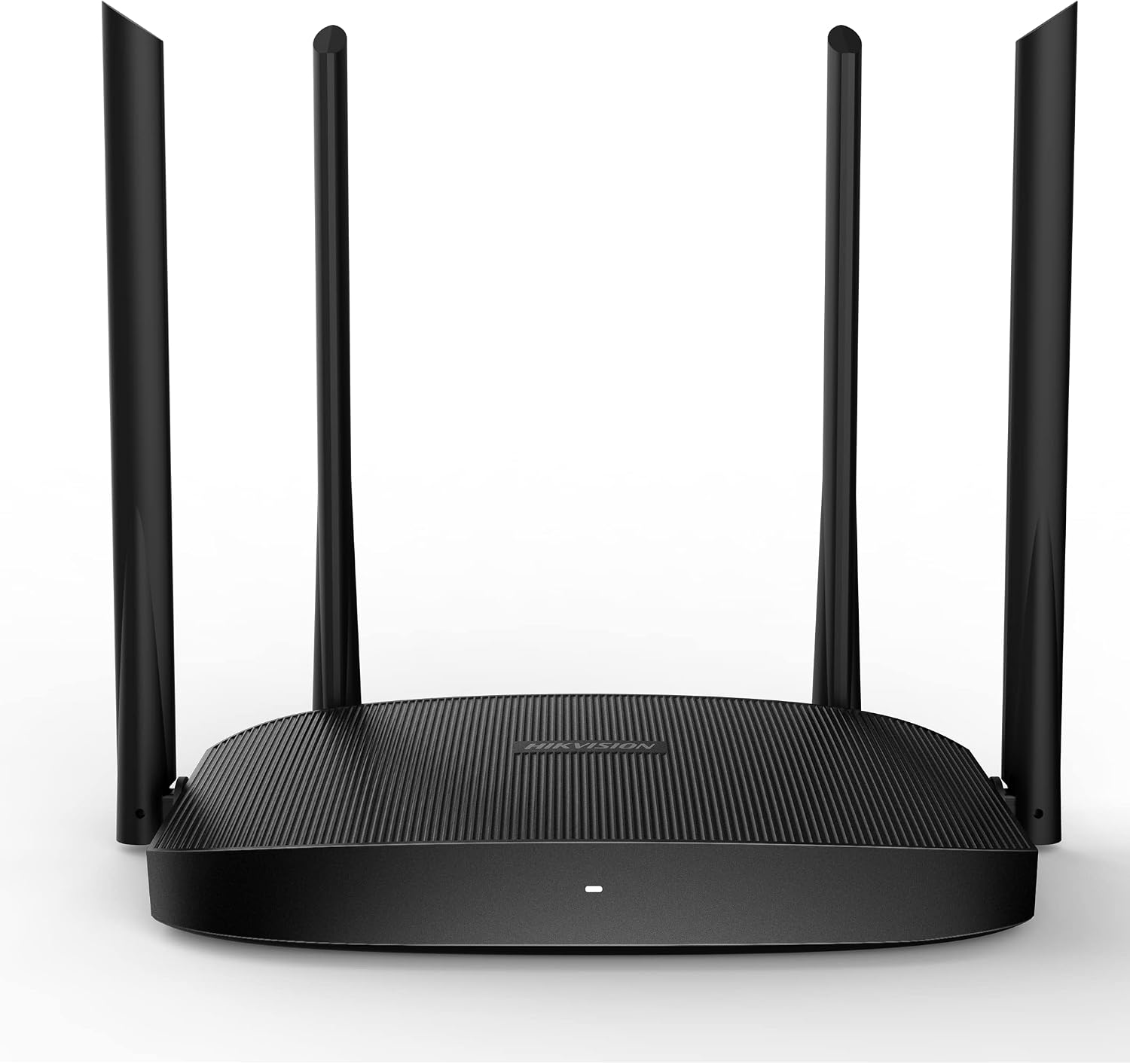
Hikvision- AC1200 Wireless Router-DS-3WR12C(O-STD)/UK
KSh 4,500.00 Original price was: KSh 4,500.00.KSh 3,500.00Current price is: KSh 3,500.00. EXCL. VAT
Hikvision 300M Wireless Router-DS-3WR3N(O-STD) UK
- The Hikvision DS-3WR12C(O-STD)/UK AC1200 Dual Band Wireless Router is a high-performance wireless networking device designed to provide reliable, stable, and efficient internet connectivity for homes, offices, retail shops, and small businesses.
- Featuring Wi-Fi 5 (802.11ac) technology, the router delivers combined theoretical wireless speeds of up to 1167 Mbps across the 2.4 GHz and 5 GHz frequency bands. Additionally, its four high-gain external antennas help extend wireless coverage and improve signal stability.
Hikvision- AC1200 Wireless Router-DS-3WR12C(O-STD)/UK
The Hikvision DS-3WR12C(O-STD)/UK AC1200 Wireless Router provides dependable wireless connectivity for residential and small commercial environments.
Designed with modern wireless networking technology, this router supports simultaneous 2.4 GHz and 5 GHz wireless connections. As a result, users can distribute connected devices across two frequency bands to improve overall network efficiency.
Furthermore, the router combines four external antennas with Beamforming technology to enhance wireless coverage. Its compact desktop design makes it suitable for installation in homes, offices, reception areas, retail shops, and other indoor environments.
1. AC1200 Dual Band Wireless Technology
The Hikvision DS-3WR12C supports Wi-Fi 5 technology and operates simultaneously on two wireless frequency bands.
2.4 GHz Frequency Band – Up to 300 Mbps
The 2.4 GHz frequency band provides wider coverage and generally better penetration through walls than the 5 GHz band. Consequently, it is suitable for everyday wireless activities such as browsing websites, sending emails, connecting smart devices, and accessing cloud-based applications.
5 GHz Frequency Band – Up to 867 Mbps
The 5 GHz band offers higher theoretical wireless speeds and can experience less interference in suitable environments. Therefore, it is particularly useful for HD video streaming, video conferencing, large file transfers within the local wireless network, and other bandwidth-intensive activities.
By combining both frequency bands, the router provides up to 1167 Mbps of theoretical aggregate wireless link capacity. However, actual internet performance depends on the broadband connection, connected devices, wireless interference, and the router’s 100 Mbps Ethernet port limitations.
2. Four High Gain External Antennas
The router features four external 5 dBi antennas designed to improve wireless signal distribution. These antennas help provide consistent wireless coverage across suitable indoor environments. Additionally, their high-gain design supports more reliable communication between the router and connected wireless devices.
Benefits include:
Improved wireless signal distribution.
Better connectivity in different areas of a room or office.
Reduced risk of weak wireless connections in suitable conditions.
Improved wireless communication with compatible devices.
More consistent network performance.
Nevertheless, coverage depends on building materials, installation position, interference, and the surrounding environment.
3. Beamforming Technology for Improved Wireless Coverage
Beamforming is a wireless technology that helps concentrate Wi-Fi signal energy toward compatible connected devices rather than distributing it uniformly in all directions. The Hikvision DS-3WR12C uses this technology to improve wireless communication efficiency.
As a result, compatible devices may experience better signal quality and more stable wireless connections. This feature is particularly useful in homes and offices where wireless devices are positioned at different distances from the router.
4. MU-MIMO Technology for Multiple Devices
The Hikvision AC1200 Wireless Router incorporates Multi-User Multiple Input Multiple Output (MU-MIMO) technology. MU-MIMO helps the router communicate more efficiently with multiple compatible wireless devices. For example, several users may connect laptops, smartphones, and other wireless equipment to the same network. With MU-MIMO support, the router can improve wireless efficiency when handling compatible client devices. However, the performance benefits depend on device compatibility and network conditions.
5. Multiple Operating Modes for Flexible Networking
The Hikvision DS-3WR12C supports several operating modes, allowing users to configure the device for different networking requirements.
Wireless Router Mode
In this mode, the device connects to an internet modem or upstream network and distributes internet connectivity to wired and wireless devices. It is suitable for homes, offices, and small business networks.
Access Point Mode
Access Point mode allows the router to provide wireless connectivity through an existing wired network. For instance, it can extend Wi-Fi access into an office area that already has an Ethernet network connection.
Wireless Repeater Mode
Repeater mode allows the router to extend wireless coverage from an existing compatible Wi-Fi network. This configuration can help improve connectivity in areas where the primary router’s signal is weak. However, repeating a wireless signal may reduce available throughput.
WISP Mode
Wireless Internet Service Provider mode allows the device to connect to an upstream wireless network and share that connection with local devices. This is useful where internet connectivity is delivered wirelessly rather than through a conventional Ethernet connection.
6. Wired Ethernet Connectivity
The Hikvision DS-3WR12C includes four Fast Ethernet network ports. These comprise one WAN port and three LAN ports. The WAN port connects to an upstream internet modem or network, while the LAN ports connect wired devices such as desktop computers, printers, or network switches. Since these ports support 10/100 Mbps speeds, they are suitable for standard internet and office networking requirements.
Important: The router does not provide Gigabit Ethernet ports. Therefore, users requiring internet speeds above 100 Mbps should consider a router equipped with Gigabit WAN and LAN interfaces.
7. Wireless Security and Guest Network
The Hikvision AC1200 router supports WPA/WPA2 wireless encryption to help protect network communications. This allows administrators to configure password-protected wireless access. Additionally, guest Wi-Fi functionality provides a convenient way to create a separate wireless network for visitors. For example, a business can provide customers with internet access without sharing the main Wi-Fi password.
Other available network controls may include wireless scheduling, DHCP configuration, and basic network administration features, depending on the installed firmware.
8. Convenient Web Based Network Management
The router provides a web-based management interface that allows users to configure and monitor network settings. Through this interface, administrators can manage wireless network names, passwords, internet connection settings, and other supported functions. Furthermore, Wi-Fi scheduling can help control when the wireless network is available. This is particularly useful in offices, retail environments, and homes where administrators want more control over network usage.
Technical Specifications
| Specification | Details |
|---|---|
| Brand | Hikvision |
| Model | DS-3WR12C(O-STD)/UK |
| Product Category | Wireless Router |
| Wireless Classification | AC1200 |
| Wi-Fi Technology | Wi-Fi 5 (802.11ac Wave 2) |
| Wireless Speed | Up to 1167 Mbps combined |
| 2.4 GHz Data Rate | Up to 300 Mbps |
| 5 GHz Data Rate | Up to 867 Mbps |
| Wireless Frequency | 2.4 GHz / 5 GHz |
| Antennas | 4 × High-Gain External Antennas |
| Antenna Gain | 5 dBi |
| MU-MIMO | Supported |
| Beamforming | Supported |
| WAN Interface | 1 × 10/100 Mbps RJ45 |
| LAN Interfaces | 3 × 10/100 Mbps RJ45 |
| Operating Modes | Router, Repeater, Client + AP, WISP, AP |
| DHCP Server | Supported |
| WAN Connection Types | DHCP, Static IP, PPPoE |
| Guest Network | Supported |
| Wi-Fi Scheduling | Supported |
| Signal Adjustment | Supported |
| Security | WPA/WPA2, WPA-PSK/WPA2-PSK |
| Hidden SSID | Supported |
| Management | Web Interface |
| Firmware Upgrade | Web Upgrade |
| System Log | Supported |
| Power Supply | 9V DC, 1A |
| Maximum Power Consumption | 9W |
| Operating Temperature | 0°C to 40°C |
| Operating Humidity | 10%–90% RH, non-condensing |
| Installation | Desktop |
| Dimensions | 248.4 × 154.8 × 213.34 mm |
| Net Weight | 0.222 kg |
QUICK LINKS
1.6mm Electric Fence Undergate Cable 300m
Generic RG59 cable With Power 300M
Bixolon 110mmx 300M 2300 Wax Ribbon for TX 400
Reviews
There are no reviews yet.