
Tp-Link Access Points
Tp-Link Access Points

Tp-Link Access Points
Tp-Link Access Points
Tp-Link Access Points
Tp-Link Access Points
Tp-Link Access Points
Tp-Link Access Points
Tp-Link Access Points

Tp-Link Access Points
Buy TP-Link Wireless Access Points in Kenya
Supreme Networks supplies TP-Link wireless access points in Kenya for offices, businesses, schools, hotels, hospitals, institutions and professional networking installations. TP-Link access points provide wireless connectivity for compatible laptops, smartphones, tablets and other Wi-Fi devices.
Our TP-Link access point category includes Omada EAP wireless devices, indoor ceiling-mounted access points, outdoor wireless solutions and models supporting different Wi-Fi standards. Choose equipment based on coverage, network capacity, installation requirements and management features.
TP-Link Omada Wireless Access Points
TP-Link Omada access points are designed for business and professional wireless networking environments. Compatible devices can be centrally configured and monitored using supported Omada controller platforms.
Omada wireless networking is suitable for installations requiring multiple access points, guest Wi-Fi, network segmentation and consistent administration across different locations.
TP-Link EAP Series Access Points
The TP-Link EAP series includes indoor and outdoor wireless access points designed for homes, offices, hospitality facilities and business networking installations.
Different EAP models support varying wireless standards, Ethernet interfaces, PoE power options and management capabilities. Compare individual product specifications before purchasing.
TP-Link EAP225 Wireless Access Point
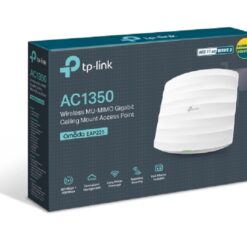
The TP-Link EAP225 is a dual-band Wi-Fi 5 access point designed for professional indoor wireless networking. It supports compatible Omada management features and can provide wireless connectivity for offices, hotels and institutions.
Check the exact hardware version for supported power options, management features and wireless specifications.
TP-Link EAP245 Wireless Access Point
The TP-Link EAP245 is a dual-band Wi-Fi 5 access point designed for business wireless networks. It provides centrally manageable Wi-Fi connectivity through compatible Omada management platforms.
The EAP245 can be considered for existing Wi-Fi 5 deployments and installations requiring compatible access point management. Compare its specifications with newer Wi-Fi 6 alternatives when planning upgrades.
TP-Link EAP610 WiFi 6 Access Point
The TP-Link EAP610 is a dual-band Wi-Fi 6 access point designed for professional indoor networking. It supports the IEEE 802.11ax standard and integrates with compatible Omada management environments.
The EAP610 is suitable for offices, classrooms, hotels and other environments requiring managed wireless connectivity. Review hardware revisions and power requirements before installation.
TP-Link EAP650 WiFi 6 Access Point
The TP-Link EAP650 is a dual-band Wi-Fi 6 access point designed for business wireless networks. It offers centrally managed connectivity through supported Omada controller platforms.
Compare the EAP650 with other Omada models based on supported wireless speeds, Ethernet uplink requirements, mounting options and expected client density.
TP-Link WiFi 6 Access Points
TP-Link Wi-Fi 6 access points use the IEEE 802.11ax standard to improve wireless efficiency for compatible devices. Selected Omada EAP models support technologies such as OFDMA and MU-MIMO.
Wi-Fi 6 access points are suitable for modern offices, schools and commercial networks. Actual performance depends on connected devices, interference, network configuration and available internet bandwidth.
TP-Link WiFi 7 Access Points
Selected newer TP-Link Omada access points support Wi-Fi 7, also known as IEEE 802.11be. Wi-Fi 7 introduces additional wireless capabilities for compatible devices and networking environments.
Supported bands, Ethernet speeds, PoE requirements and management capabilities vary by model. Confirm compatibility with existing infrastructure before upgrading.
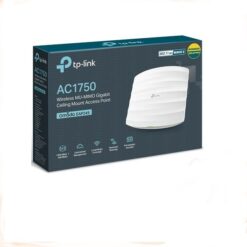
TP-Link Ceiling-Mounted Access Points
Ceiling-mounted TP-Link access points are commonly installed in offices, classrooms, hotels, hospitals and commercial buildings. They provide wireless connectivity while allowing equipment to be positioned away from desks and workstations.
Coverage depends on building layout, construction materials, ceiling height and access point placement. Proper planning can help reduce wireless coverage gaps.
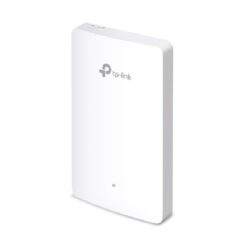
TP-Link Wall-Mounted Access Points
Selected TP-Link Omada access points support wall-mounted installation for offices, hotel rooms, meeting rooms and other indoor environments.
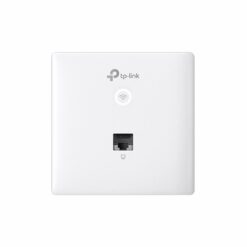
Some wall-plate models provide additional Ethernet interfaces for compatible wired equipment. Review the specific model's port configuration, PoE requirements and management compatibility.
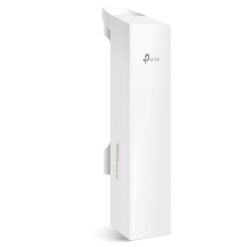
TP-Link Outdoor Wireless Access Points
TP-Link outdoor access points provide wireless connectivity for suitable external environments, including business compounds, hospitality facilities, school grounds and warehouses.
Outdoor EAP models vary in wireless standards, antenna characteristics, weather resistance and mounting requirements. Confirm environmental specifications before installation.
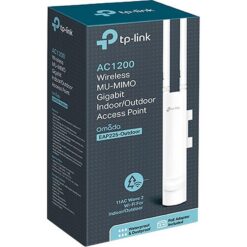
TP-Link EAP225-Outdoor Access Point
The TP-Link EAP225-Outdoor is designed for outdoor wireless networking applications. It supports dual-band Wi-Fi 5 connectivity and compatible Omada management features.
Its suitability depends on the installation environment, power requirements, mounting arrangement and expected wireless coverage.
TP-Link Omada Mesh Networking
Compatible TP-Link Omada access points support mesh functionality, allowing selected devices to use wireless uplinks within supported network configurations.
Mesh networking can be useful where Ethernet cabling is difficult to install. However, wired backhaul is generally preferable when available because it provides more predictable uplink capacity.
TP-Link PoE Wireless Access Points
Many TP-Link Omada access points support Power over Ethernet, allowing compatible devices to receive electrical power and network data through Ethernet cabling.
PoE requirements vary by model and hardware revision. Confirm whether the selected access point supports IEEE 802.3af, 802.3at or another specified power method before connecting a switch or injector.
TP-Link Access Points for Hotels
Hotels and hospitality facilities use wireless access points to provide Wi-Fi connectivity across guest rooms, reception areas, restaurants and conference spaces.
Compatible Omada installations can support guest networks, centralized management and separate wireless networks for staff and visitors. Larger buildings may require multiple access points for adequate coverage.
TP-Link Access Points for Schools and Institutions
Schools, colleges and institutions can use TP-Link access points to connect classrooms, computer laboratories, libraries and administrative offices.
When designing institutional wireless networks, consider the number of users, device density, network security and available bandwidth.
TP-Link Access Points for Offices and Businesses
Businesses can deploy TP-Link Omada access points to provide centrally managed wireless connectivity for employees, visitors and compatible office devices.
Supported management features can help administrators configure wireless networks, monitor access points and organize network access across multiple locations.
TP-Link Omada Controller Management
Compatible Omada access points can be centrally managed through supported hardware, software or cloud-based controller options.
Controller management can simplify wireless configuration, monitoring and administration across multiple access points. Feature availability depends on the controller platform, firmware and connected devices.
TP-Link Access Points vs WiFi Routers
A wireless router typically combines routing and Wi-Fi connectivity in one device. A TP-Link wireless access point primarily provides wireless connectivity to an existing network.
Professional installations often combine routers, PoE network switches and multiple Omada access points to provide organized wireless coverage across larger buildings.
TP-Link EAP610 vs EAP650
Both the TP-Link EAP610 and EAP650 belong to the Omada Wi-Fi 6 access point range. They offer managed wireless connectivity but differ in certain radio specifications and performance capabilities.
Compare supported wireless rates, hardware revisions, PoE requirements and Ethernet interfaces when choosing between these models.
How Many TP-Link Access Points Do You Need?
The number of access points required depends on building size, floor layout, construction materials, expected users and wireless performance requirements.
For larger offices, hotels and institutions, a wireless site survey can help determine suitable access point placement and reduce coverage gaps.
How to Choose the Best TP-Link Access Point in Kenya
Start by identifying whether your installation requires indoor or outdoor wireless connectivity. Determine the number of expected users, coverage requirements and preferred Wi-Fi standard.
Compare TP-Link EAP models based on supported frequency bands, Ethernet speeds, PoE compatibility, mounting options and Omada management requirements.
For professional installations, consider future network expansion and compatibility with existing routers, switches and cabling infrastructure.
Order TP-Link Access Points Online in Kenya
Buy TP-Link access points in Kenya from Supreme Networks for offices, hotels, schools, businesses, institutions and enterprise networking installations. Explore TP-Link Omada EAP225, EAP245, EAP610, EAP650 and other available wireless access point models to compare specifications.
Supreme Networks is located at Queensway House, 3rd Floor, Kaunda Street, Nairobi, and serves customers across Kenya. For product inquiries, bulk orders and compatibility guidance, call 0711664906 or email [email protected].