
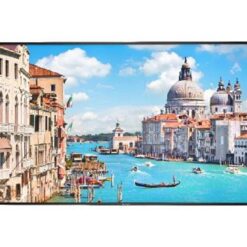
Surveillance Screen
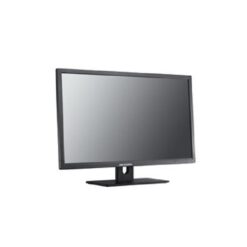
Surveillance Screen
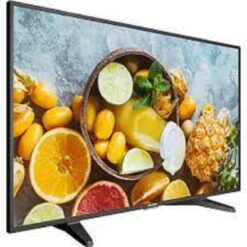
Surveillance Screen
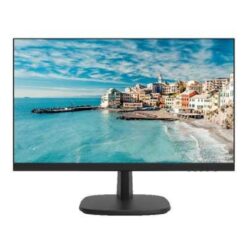
Surveillance Screen
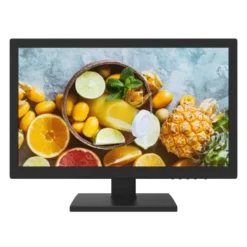
Surveillance Screen
Surveillance Monitors and Interactive Display Solutions
Supreme Networks supplies professional display equipment for security monitoring, education, business collaboration and commercial applications. Choose from CCTV monitors, interactive flat panels, digital smart boards and large-format screens.
CCTV Surveillance Monitors
Security monitoring screens display live and recorded footage from compatible CCTV systems. They are suitable for homes, offices, retail stores, warehouses and control rooms. Compare Full HD and 4K options according to recorder output and viewing requirements.
Interactive Screens for Schools and Classrooms
Interactive display panels support digital teaching, presentations and collaborative learning. Selected models provide multi-touch functionality, annotation tools, screen sharing and compatibility with educational applications.
Smart Interactive Whiteboards
Digital smart boards combine touchscreen displays with interactive presentation features. They can be used for classroom lessons, training sessions, workshops and collaborative meetings.
Interactive Displays for Conference Rooms
Professional touchscreen displays help teams share content, annotate presentations and collaborate during meetings. Depending on the model, available features may include wireless screen sharing, built-in speakers and compatibility with video conferencing equipment.
Hikvision Interactive Flat Panels
Hikvision interactive flat panels provide touchscreen display options for education and business environments. Selected models include 4K resolution, multi-touch input, wireless collaboration and integrated software features.
ZKTeco CCTV Monitoring Screens
ZKTeco offers display equipment for security monitoring applications. Compare screen dimensions, resolution, video inputs and mounting compatibility to select a suitable monitor.
4K Professional and Large-Format Displays
Large-format displays are suitable for conference rooms, reception areas, commercial installations and surveillance monitoring. Choose the screen size according to viewing distance, image requirements and installation space.
Features to Consider Before Buying
- Screen size: Compare compact CCTV monitors and larger interactive displays.
- Resolution: Choose Full HD, 4K or other supported formats.
- Touch functionality: Check multi-touch support for interactive applications.
- Connectivity: Compare HDMI, USB, VGA, LAN and wireless connectivity where available.
- Screen sharing: Confirm supported wireless presentation features.
- Operating system: Check built-in software and optional computing modules.
- Audio: Verify built-in speakers and compatible conferencing accessories.
- Mounting: Confirm wall-mount or mobile-stand compatibility.
- Operating requirements: Check whether the display is suitable for extended surveillance use.
Choosing Between Surveillance and Interactive Screens
Choose a CCTV monitor when your main requirement is viewing security camera footage through a DVR or NVR. An interactive flat panel is more suitable when touchscreen interaction, digital writing, presentations and collaboration are important.
For shared business environments, large-format professional displays can also support presentations and visual communication. However, touch capabilities and continuous-operation ratings depend on the specific model.
Related Security Equipment
Browse Hikvision Network Video Recorders for IP camera recording equipment.
Explore Hikvision Digital Video Recorders for compatible analogue CCTV systems.
Visit CCTV Surveillance Systems for additional security monitoring products.
Official Manufacturer Resources
For product specifications and supported display technologies, visit Hikvision and ZKTeco.
Frequently Asked Questions
What is the difference between an interactive screen and a CCTV monitor?
A CCTV monitor primarily displays video from compatible security equipment. An interactive screen adds touch-based functions for writing, presentations, teaching and collaboration.
Are interactive screens suitable for classrooms?
Yes. Compatible interactive panels support digital lessons, annotations, presentations and collaborative learning activities.
Can interactive displays be used for video conferencing?
Selected models support conferencing applications and compatible cameras, microphones and computers. Check the display's software and hardware specifications.
Can a CCTV monitor display multiple cameras?
Yes. Compatible DVRs and NVRs provide split-screen layouts for viewing multiple camera feeds on one monitor.
What sizes are available for interactive displays?
Common interactive flat panel sizes include 55-inch, 65-inch, 75-inch and 86-inch, although availability depends on the manufacturer and model.