
Yealink


Buy Yealink IP Phones in Kenya
Yealink IP phones in Kenya help businesses manage daily office calls. Supreme Networks offers Yealink desk phones, cordless phones and related communication devices.
Yealink phones can work with suitable IP PBX systems and hosted VoIP services. Choose a model based on your calling needs, network setup and budget.
Our range covers different Yealink phone families. These include entry-level desk phones, advanced office phones and wireless communication devices.
Types of Yealink Business Phones
Yealink SIP Desk Phones
Yealink SIP phones connect to supported IP phone systems. They are useful for internal and external business calls.
Selected models support call transfer, call hold, speed dial and multiple SIP accounts. Check the exact features before ordering.
Yealink T3 Series IP Phones
The Yealink T3 Series includes desk phones for everyday office calls. These phones offer simple controls and a range of calling features.
Popular models include the T31, T31W and T33 Series. Compare their screens, network ports and wireless features.
Yealink T4 Series IP Phones
The Yealink T4 Series offers business desk phones with added call features. Selected models have colour screens and programmable keys.
These phones may suit reception desks, sales teams and busy offices. Check the model's line capacity and PBX support.
Yealink T5 Series IP Phones
The Yealink T5 Series includes advanced business desk phones. Selected models offer touchscreens, wireless support and more call controls.
These phones may suit managers and staff who handle many calls. Features differ between models.
Yealink DECT Cordless Phones
Yealink DECT phones provide cordless calling through compatible base stations. They allow staff to move within the supported coverage area.
DECT phones may suit hotels, warehouses and large offices. Check handset support, base station limits and coverage needs.
Yealink Conference Phones
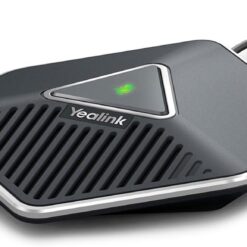
Yealink conference phones support group calls in suitable meeting rooms. Selected models offer built-in microphones and speakers.
Compare room size, connection type and platform support before choosing a device.
Yealink Wireless and Wi-Fi Phones
Selected Yealink phones support Wi-Fi or other wireless links. These devices can be useful where wired network ports are limited.
Check wireless coverage and the exact model's features before buying.
Yealink T3 vs T4 vs T5 Series
Yealink T3 Series for Everyday Calls
The T3 Series is a practical choice for many office desks. Models vary in screen type, line support and network features.
Yealink T4 Series for Busy Offices
The T4 Series includes phones with more call controls on selected models. These may help staff who manage several lines.
Yealink T5 Series for Advanced Needs
The T5 Series offers more advanced options on selected models. Some phones include touchscreens and added wireless features.
Which Yealink Series Should You Choose?
Start with the user's daily call needs. Then compare the screen, line count, network ports and supported phone system.
Do not choose a phone based only on its series. The exact model and firmware also matter.
Yealink IP Phones for Different Workplaces
Small Business Offices
Small offices may need a few SIP desk phones. A suitable phone service can help staff handle daily calls.
Corporate Offices
Large offices may need phones for several departments. Some staff may require more lines and call keys.
Reception Desks
Reception teams often manage incoming calls and transfers. Selected Yealink models support extra keys and call controls.
Hotels and Guest Rooms
Hotels may use desk phones and cordless phones for staff communication. Choose devices that work with the hotel's phone system.
Call Centres
Call centre staff may need SIP phones with headset support. Check call platform features and headset compatibility.
Schools and Hospitals
Schools and hospitals may use Yealink phones across several departments. Reliable network access helps support daily communication.
Warehouses and Mobile Staff
DECT phones may suit workers who move between work areas. Check the required coverage and number of handsets.
How to Choose the Right Yealink IP Phone
Check SIP and PBX Compatibility
First, confirm that the phone works with your PBX or hosted VoIP service. Support depends on the model and software.
Compare SIP Accounts and Lines
Some users need only a few lines. Reception teams may need more. Check the phone's supported account and line limits.
Check Power over Ethernet
Many Yealink phones support Power over Ethernet, also called PoE. A suitable PoE switch can supply power and network data.
Some models need a separate power adapter. Check the power standard and package contents.
Review Ethernet Port Speed
Yealink phones have different network port speeds. Check whether the phone supports Fast Ethernet or Gigabit Ethernet.
This matters when a computer shares the phone's wired network connection.
Choose the Right Display
Some phones have basic screens. Others offer colour displays or touchscreens.
Choose a display that matches the user's work needs.
Check Wi-Fi and Bluetooth Support
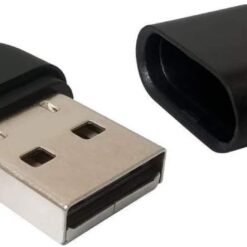
Selected Yealink models support Wi-Fi or Bluetooth. Others may need a compatible USB adapter.
Always check the exact model before buying accessories.
Review Headset Support
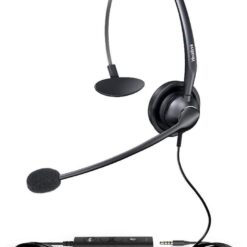
Headsets can help staff handle calls while working. Check the supported headset port or wireless connection type.
Plan for Future Growth
Think about new staff and extra phone lines. Choose a PBX that can support future users and calls.
Yealink Phones and Yeastar PBX Systems
Many Yealink SIP phones can work with supported Yeastar PBX systems. This makes them an option for suitable office phone networks.
However, compatibility depends on the exact phone, firmware and PBX model. Check the supported device list before ordering.
Some PBX features may also depend on software or licence terms.
Network Equipment for Yealink Phone Installations
PoE Network Switches
A suitable PoE switch can power supported Yealink phones. Check the PoE standard and available power budget.
Ethernet Patch Cords
Ethernet patch cords connect wired phones to network ports. Choose suitable cables and lengths for each workstation.
Business Routers
A suitable router helps manage network traffic. Hosted VoIP services also need a stable internet connection.
UPS Backup Power
A UPS can help keep suitable phone and network equipment running during short power cuts. Backup time depends on the load.
Yealink IP Phones vs Traditional Analogue Phones
How Yealink IP Phones Work
Yealink IP phones use a supported data network for voice calls. They connect to suitable PBX systems or VoIP services.
How Analogue Phones Work
Analogue phones use supported telephone ports and lines. They may connect to a traditional PBX or suitable gateway.
Can Yealink Phones Replace Analogue Phones?
Yealink IP phones can form part of a new VoIP setup. However, the network and phone service must support them.
Businesses may also need a suitable gateway to keep existing analogue lines.
Frequently Asked Questions About Yealink Phones
Where Can I Buy Yealink IP Phones in Kenya?
Supreme Networks supplies Yealink business phones in Nairobi. Contact us for product details, prices and delivery options.
Are Yealink Phones Suitable for Offices?
Yes. Yealink offers IP phones for different office needs. Choose a model that works with your phone system.
What Is a Yealink SIP Phone?
A Yealink SIP phone uses a supported IP phone service for calls. It may connect to an IP PBX or hosted VoIP platform.
Can Yealink Phones Work with Yeastar?
Many Yealink SIP phones support suitable Yeastar systems. Check the exact model and software version before purchase.
Do Yealink Phones Support PoE?
Many Yealink desk phones support PoE. However, power needs vary by model.
What Is the Difference Between Yealink T3 and T5?
The T3 Series focuses on everyday business calling. The T5 Series includes more advanced features on selected models.
Does Yealink Make Cordless Phones?
Yes. Yealink offers DECT cordless phones and compatible base stations for suitable business use.
Can Yealink Phones Connect Through Wi-Fi?
Selected models support Wi-Fi. Others may require a compatible adapter or wired Ethernet connection.
Do Yealink Phones Need Internet?
Yealink IP phones need a suitable IP network. External internet access depends on the phone service being used.
Can Yealink Phones Work Without a PBX?
Some Yealink SIP phones can register with compatible hosted VoIP services. A separate on-site PBX may not be required.
Can I Use a Headset with a Yealink Phone?
Many models support compatible headsets. Check the phone's ports and supported wireless features.
Are Yealink Phones Good for Call Centres?
Selected Yealink phones may suit call centre use. Check headset support and the required call platform features.
Can I Use Yealink Phones in Hotels?
Yealink offers communication devices for suitable hotel phone systems. Check guest room and reception needs before buying.
Do Yealink Phones Include Power Adapters?
Package contents vary by model and listing. Check whether the phone includes a power adapter or supports PoE.
Order Yealink IP Phones in Nairobi, Kenya
Shop Yealink IP phones in Kenya at Supreme Networks. Explore SIP desk phones, cordless DECT devices and business communication equipment.
Contact us for model details, bulk orders and quotations. We also offer delivery options across Kenya.
Visit Supreme Networks at Queensway House, 3rd Floor, Kaunda Street, Nairobi.
Call 0711664906 or email [email protected].