
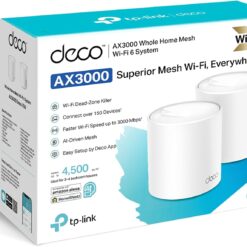
Tp-Link Range Extender
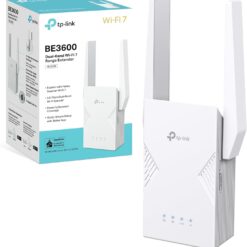
Tp-Link Range Extender
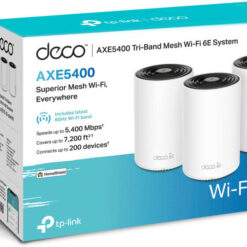
Tp-Link Range Extender
Tp-Link Range Extender
Tp-Link Range Extender
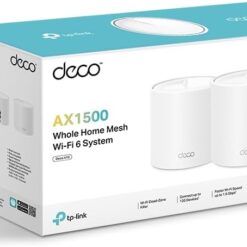
TP-Link Deco X10 AX1500 Whole Home Mesh Wi-Fi 6 System 3 Pack TL-DECO X10
Tp-Link Range Extender
D-Link Range Extender
D-Link Range Extender
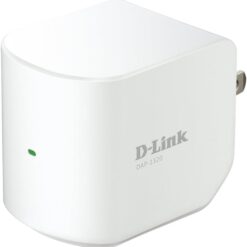
D-Link Range Extender
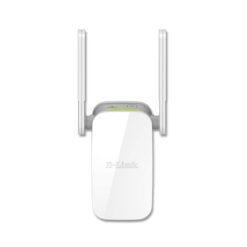
D-Link Range Extender
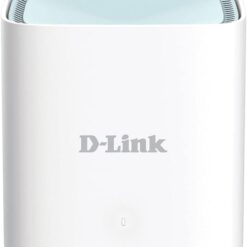
D-Link Range Extender
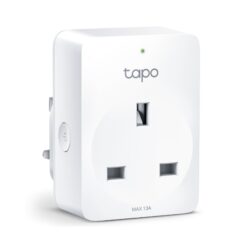
Tp-Link Range Extender
Buy WiFi Range Extenders in Kenya for Better Wireless Coverage
Supreme Networks supplies WiFi range extenders in Kenya for homes, offices, shops, apartments and commercial premises. Wireless range extenders help improve coverage by receiving a signal from an existing WiFi router and retransmitting it to areas where the original wireless connection is weak.
Explore wireless repeaters, WiFi boosters, single-band and dual-band extenders, and selected mesh-compatible wireless devices. Compare products from TP-Link, D-Link and Tenda to identify a suitable solution for your router, building layout and coverage requirements.
What Is a WiFi Range Extender?
A WiFi range extender is a networking device that expands the usable coverage of an existing wireless network. It connects to a compatible router and retransmits the wireless signal to help devices connect in areas that previously had weak reception.
Range extenders are useful where relocating the main router or installing additional Ethernet cabling is inconvenient. However, they require a sufficiently strong connection to the existing router to operate effectively.
How Does a WiFi Range Extender Work?
A wireless range extender receives data from the main router and forwards it to connected devices. It also sends data from those devices back towards the router.
Depending on the model, this connection may use a single wireless band, multiple wireless bands or a dedicated connection arrangement. Actual performance depends on signal quality, interference, network traffic and the extender's capabilities.
TP-Link WiFi Range Extenders
TP-Link manufactures wireless range extenders for home and small business networking. Available models include compact wall-plug devices, dual-band repeaters and newer WiFi extenders supporting advanced wireless standards.
Examples include the TP-Link TL-WA854RE and selected RE-series products. Depending on the model, features may include signal indicators, Ethernet ports, mobile app configuration and compatibility with supported TP-Link mesh technologies.
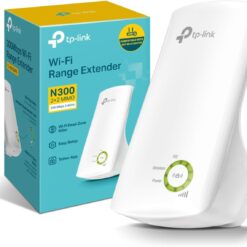
TP-Link TL-WA854RE 300Mbps Range Extender
The TP-Link TL-WA854RE is a compact 2.4GHz wireless range extender designed to improve coverage in compatible home WiFi networks.
Its advertised wireless rate of up to 300Mbps represents a theoretical wireless link rate rather than a guaranteed internet speed. It can be useful for everyday browsing and general connectivity in areas with limited wireless coverage.
D-Link WiFi Range Extenders
D-Link offers wireless range extenders for different home and office networking requirements. Depending on the model, available features include compact plug-in designs, dual-band connectivity and simplified wireless setup.
Popular D-Link product families include DAP-series extenders designed for compatible wireless routers.
D-Link DAP-1610 AC1200 Range Extender
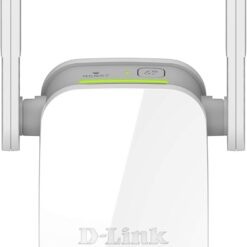
The D-Link DAP-1610 is an AC1200-class dual-band WiFi range extender designed to extend compatible wireless networks.
It supports 2.4GHz and 5GHz wireless bands, making it suitable for selected home and office applications where both coverage and wireless capacity are important.
Actual speeds depend on router capabilities, placement, interference and connected devices.
D-Link DAP-1320 and DAP-1325 Range Extenders
The D-Link DAP-1320 and DAP-1325 are compact Wireless N range extenders designed to improve coverage on compatible 2.4GHz networks.
These devices can be suitable for basic wireless connectivity in smaller areas where an existing router's signal needs additional reach.
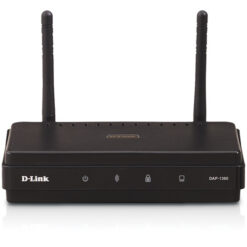
D-Link DAP-1360 Wireless N Device
The D-Link DAP-1360 is a Wireless N networking device with configurable wireless operating modes, depending on the hardware revision and firmware.
It can be considered for suitable wireless extension applications where its supported configuration matches the network requirements.
Tenda WiFi Range Extenders
Tenda manufactures wireless range extenders designed for improving home and small office WiFi coverage. Depending on the model, features may include compact wall-plug designs, wireless signal indicators and simplified setup.
Compare available Tenda extenders by wireless standard, supported bands, Ethernet connectivity and router compatibility.
Single-Band WiFi Range Extenders
Single-band range extenders commonly operate on the 2.4GHz wireless band. They can be suitable for basic home networking, internet browsing and connected devices that do not require high bandwidth.
The 2.4GHz band can provide useful coverage through some walls and obstacles, although it is often affected by interference from neighbouring networks and household equipment.
Dual-Band WiFi Range Extenders
Dual-band range extenders support both 2.4GHz and 5GHz wireless connections where compatible. This can provide greater flexibility for different connected devices and network conditions.
The 5GHz band can support higher wireless throughput under suitable conditions, while 2.4GHz may offer better reach through certain obstacles.
Actual performance depends on the extender, router, client devices and wireless environment.
WiFi 5 Range Extenders
WiFi 5 range extenders use the 802.11ac wireless standard and are commonly available in dual-band configurations.
They can be useful for compatible home and office networks where additional coverage is needed without replacing the existing router.
WiFi 6 Range Extenders
WiFi 6 extenders use the 802.11ax wireless standard and may provide improved wireless efficiency and capacity in supported environments.
They can be suitable for homes and offices with multiple connected devices. However, the benefits depend on the capabilities of the router, extender and client devices.
WiFi 7 Range Extenders
Selected newer range extenders support WiFi 7 technology, offering advanced wireless capabilities with compatible equipment.
Before purchasing a WiFi 7 extender, confirm its supported frequency bands, wireless features, router compatibility and intended installation environment.
A newer wireless standard does not automatically increase the speed of an existing internet subscription.
WiFi Range Extenders vs WiFi Boosters
The terms WiFi extender, WiFi booster and wireless repeater are often used interchangeably when describing products intended to improve wireless coverage.
However, actual product functionality varies. Some devices repeat an existing wireless connection, while others support Ethernet-based access point modes or integration with compatible mesh systems.
WiFi Range Extenders vs Wireless Access Points
A conventional WiFi range extender typically connects wirelessly to an existing router and repeats its signal. A wireless access point commonly uses an Ethernet connection to provide WiFi coverage in another location.
Where Ethernet cabling is available, a properly installed access point may provide more consistent throughput and lower latency than a wireless repeater.
For larger business installations, multiple managed access points may be more appropriate than standalone extenders.
WiFi Range Extenders vs Mesh WiFi Systems
A conventional range extender adds coverage to an existing router's wireless network. A mesh WiFi system uses compatible nodes designed to work together to provide coverage across a larger area.
Mesh systems can offer coordinated management and roaming features, depending on the products used.
For larger homes and multi-storey buildings, a purpose-built mesh system may provide a better long-term solution than several independent repeaters.
TP-Link Deco Mesh WiFi Systems
TP-Link Deco products are whole-home mesh WiFi systems rather than conventional standalone range extenders.
Examples include Deco X10, Deco X50 and Deco XE75. These systems are designed to provide wireless coverage using compatible mesh units and supported backhaul arrangements.
When comparing Deco products with range extenders, consider whether you want to extend an existing router network or deploy a coordinated mesh system.
Mesh-Compatible WiFi Extenders
Some wireless range extenders support mesh-related features when paired with compatible routers and networking equipment.
Compatibility is not universal across different brands or mesh ecosystems. For example, support for a particular mesh technology must be verified for both the router and extender.
WiFi Range Extenders with Ethernet Ports
Selected WiFi range extenders include Ethernet ports for connecting compatible wired devices or supporting alternative operating modes.
Depending on the model, an Ethernet port may connect a desktop computer, television or another supported device to the extended network.
Some extenders also support access point mode through an Ethernet connection to the main network.
Wall-Plug WiFi Range Extenders
Wall-plug extenders are compact devices designed to connect directly to a suitable electrical socket.
They are popular in homes and small offices because they generally require limited installation space. Positioning is important, as the device must still receive a usable wireless signal from the router.
WiFi Range Extenders for Large Homes
Large homes may have areas where the wireless signal becomes weak because of distance, walls or building layout.
A suitable dual-band extender can help improve coverage in selected rooms. For extensive coverage requirements, a mesh WiFi system or wired access points may provide better results.
WiFi Range Extenders for Upstairs Rooms
Multi-storey homes can experience weaker wireless reception between floors because of concrete slabs, reinforced walls and other obstacles.
Installing an extender in a location with a stable connection to the router may help improve upstairs coverage.
Avoid placing the extender inside an area where the existing WiFi signal is already unusable.
WiFi Range Extenders for Offices
Small offices may use wireless range extenders to improve connectivity in meeting rooms, reception areas and other locations with weak router coverage.
For offices with many users, frequent video calls or high network traffic, consider whether a wired access point or managed WiFi system would be more suitable.
WiFi Range Extenders for Shops and Retail Premises
Retail premises may need wireless coverage for laptops, smartphones and other compatible network devices.
A range extender can help reach selected areas where the main router signal is weak, provided the extender maintains a reliable connection to the router.
For business-critical applications such as point-of-sale connectivity, a wired network or properly designed access point installation may provide greater reliability.
WiFi Range Extenders for Smart Home Devices
Smart home devices such as compatible cameras, plugs and sensors may require stable wireless connectivity in different parts of a home.
Some smart home products operate only on 2.4GHz WiFi, so check the supported bands and network settings before purchasing an extender.
Can a WiFi Extender Increase Internet Speed?
A WiFi extender does not increase the bandwidth provided by your internet service provider.
However, it may improve the usable connection in areas where a device previously received a weak WiFi signal.
Because wireless repeating can introduce additional overhead, actual throughput may be lower than when connected directly to the main router under good signal conditions.
Where Should You Place a WiFi Range Extender?
Position the extender between the main router and the area requiring additional coverage, ideally where the extender can still receive a stable wireless connection.
Avoid placing it directly in a complete WiFi dead zone. Thick walls, metal cabinets, electrical equipment and neighbouring wireless networks may reduce performance.
Test different locations and use signal indicators or configuration tools where available.
How to Set Up a WiFi Range Extender
Setup procedures vary by brand and model. Many extenders support configuration through a web interface, mobile application or WiFi Protected Setup where available and supported.
Follow the manufacturer's instructions to connect the extender to the existing wireless network.
After setup, test connectivity and adjust placement to achieve suitable coverage.
How to Choose the Best WiFi Range Extender in Kenya
Start by identifying the wireless router model, supported WiFi standard and the areas requiring improved coverage.
Next, compare single-band and dual-band extenders, Ethernet ports, supported wireless speeds and any mesh compatibility requirements.
Consider the building layout, number of connected devices and intended activities, including browsing, video streaming and video calls.
For larger installations, evaluate mesh WiFi systems or wired access points before choosing multiple standalone extenders.
Frequently Asked Questions About WiFi Range Extenders
Will a WiFi extender work with any router?
Many conventional WiFi extenders support common wireless standards and can work with routers from different manufacturers. However, specific security, mesh and advanced networking features may require compatible equipment.
Does a WiFi extender create a new network?
Depending on the model and configuration, an extender may use a separate wireless network name or a network name matching the main router. Roaming behaviour varies by device and network design.
Can I use more than one WiFi extender?
Multiple extenders can be used in some environments, but performance and reliability depend on their configuration and wireless connections. For larger installations, a mesh system or wired access points may be preferable.
Is a WiFi extender suitable for gaming?
An extender may improve coverage where the router signal is weak, but wireless repeating can add latency and reduce throughput. A direct Ethernet connection or properly designed access point may be more suitable for latency-sensitive applications.
What is the difference between 300Mbps and AC1200?
These are advertised wireless rate classifications rather than guaranteed internet speeds. Actual performance depends on the supported wireless bands, device capabilities, signal conditions and network configuration.
Order WiFi Range Extenders Online in Kenya
Buy WiFi range extenders in Kenya from Supreme Networks for homes, offices, shops and small business networks. Compare available TP-Link, D-Link and Tenda wireless extenders, along with suitable mesh WiFi solutions for larger coverage requirements.
Supreme Networks is located at Queensway House, 3rd Floor, Kaunda Street, Nairobi, and serves customers across Kenya.
For product inquiries, bulk orders and assistance selecting compatible wireless networking equipment, call 0711664906 or email [email protected].