
Shop D-Link range extenders in Kenya at Supreme Networks to improve wireless coverage in homes, offices, apartments and commercial premises. Explore D-Link WiFi boosters, wireless repeaters and mesh-capable extenders designed to extend compatible router networks into areas with weak WiFi reception.
Our D-Link range extender selection includes the DAP-1320 and DAP-1325 Wireless N300 models, the DAP-1360 wireless networking device, the DAP-1610 AC1200 dual-band extender and selected AX1500 WiFi 6 mesh range extenders. Compare wireless standards, supported frequency bands, Ethernet connectivity, installation requirements and compatibility with your existing router.
Choose a compact 2.4GHz repeater for basic coverage improvements, a dual-band extender for compatible 2.4GHz and 5GHz networks, or a WiFi 6 mesh-capable model for suitable newer networking environments. For larger installations, wired wireless access points may provide a more consistent connection.
Explore our Range Extenders in Kenya, D-Link Routers, D-Link Wireless Access Points and Networking Equipment in Kenya to compare complementary networking products.
Buy D-Link WiFi range extenders in Nairobi from Supreme Networks, with delivery available across Kenya. Contact us for product inquiries, bulk orders and assistance selecting compatible wireless networking equipment.
D-Link Range Extender
D-Link Range Extender
D-Link Range Extender
D-Link Range Extender
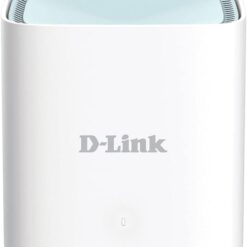
D-Link Range Extender
Buy D-Link Range Extenders in Kenya for Homes and Offices
Supreme Networks supplies D-Link range extenders in Kenya for homes, offices, apartments, retail shops and commercial networking environments. D-Link wireless range extenders help improve WiFi coverage by extending the signal from compatible wireless routers into areas where reception is weak or unreliable.
Explore D-Link WiFi boosters, Wireless N300 repeaters, AC1200 dual-band range extenders and WiFi 6 mesh-capable extenders. Popular products include the D-Link DAP-1320, DAP-1325, DAP-1360, DAP-1610 and selected AX1500 WiFi 6 mesh range extenders.
What Is a D-Link WiFi Range Extender?
A D-Link WiFi range extender is a networking device designed to increase the usable coverage of an existing wireless network. It receives a wireless signal from a compatible router and retransmits that signal to nearby devices.
Range extenders can improve connectivity in bedrooms, upstairs rooms, offices, corridors and other locations where the main router provides insufficient wireless coverage.
For reliable performance, the extender must maintain a sufficiently strong connection to the main router.
How D-Link Wireless Range Extenders Work
Most conventional D-Link wireless repeaters connect to the existing router over WiFi and create an extended wireless coverage area.
When a connected device sends or receives data, the extender forwards that traffic between the device and the router. The additional wireless transmission introduces overhead, so actual speeds may be lower than those available close to the main router.
Performance depends on extender placement, wireless interference, building materials, router capabilities and the number of connected devices.
D-Link DAP-1320 N300 WiFi Range Extender
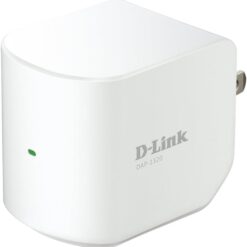
The D-Link DAP-1320 is a compact Wireless N300 range extender designed to improve coverage on compatible 2.4GHz WiFi networks.
It supports theoretical wireless link rates of up to 300Mbps under suitable conditions. The compact plug-in design makes it convenient for extending wireless coverage without requiring a separate desktop installation.
The DAP-1320 is suitable for basic home connectivity, including web browsing, email, messaging and general internet access.
Its actual performance depends on the existing router signal and wireless environment.
D-Link DAP-1325 N300 WiFi Range Extender
The D-Link DAP-1325 is a Wireless N300 range extender designed to improve 2.4GHz wireless coverage in compatible home and small office networks.
It provides a compact plug-in installation option for extending an existing WiFi network into areas with weaker reception.
The DAP-1325 can be considered for bedrooms, small offices and other locations requiring additional wireless coverage for everyday internet activities.
Before purchasing, compare its hardware revision, supported configuration methods and features with the requirements of your existing router.
D-Link DAP-1360 Wireless N Range Extender
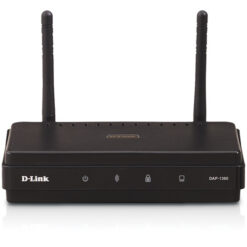
The D-Link DAP-1360 is a Wireless N networking device designed for flexible wireless connectivity in supported configurations.
Depending on its hardware revision and firmware, the DAP-1360 can provide different wireless operating modes, including access point and selected wireless extension functions.
This flexibility can make it useful for certain home and small business networking installations.
Confirm the supported operating modes for the exact device revision before selecting it for a repeater or wireless bridge application.
D-Link DAP-1610 AC1200 Dual-Band Range Extender
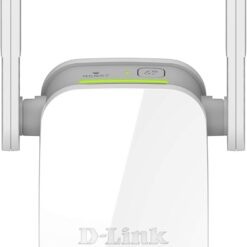
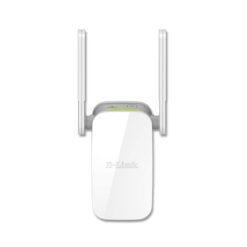
The D-Link DAP-1610 is an AC1200-class dual-band WiFi 5 range extender designed to improve wireless coverage on compatible networks.
It supports both 2.4GHz and 5GHz frequency bands, providing greater flexibility than basic single-band Wireless N repeaters.
The DAP-1610 also includes an Ethernet port for compatible wired connectivity. Check the port speed and supported operating modes for the exact hardware revision.
This extender can be suitable for homes and small offices requiring additional wireless coverage for browsing, streaming and everyday network applications.
D-Link AX1500 WiFi 6 Mesh AI Range Extender
D-Link AX1500 WiFi 6 Mesh AI range extenders are designed to provide wireless coverage using newer 802.11ax technology and supported mesh-related features.
These devices can be suitable for compatible wireless networks with multiple connected devices and a need for additional coverage.
Features may include dual-band operation, wireless optimization and supported mesh connectivity, depending on the exact model.
Before purchasing, confirm the complete model number, supported mesh ecosystem, Ethernet specifications and compatibility with the existing router.
D-Link Wireless N300 Range Extenders
D-Link Wireless N300 range extenders generally support 2.4GHz WiFi connectivity with advertised wireless rates of up to 300Mbps.
Models such as the DAP-1320 and DAP-1325 can be useful for basic wireless coverage requirements in smaller homes and offices.
The advertised 300Mbps rate represents a theoretical wireless link speed rather than a guaranteed internet download speed.
D-Link AC1200 WiFi Range Extenders
AC1200-class D-Link extenders use WiFi 5 technology and typically support both 2.4GHz and 5GHz frequency bands.
Dual-band operation can provide greater flexibility when connecting different wireless devices and extending a compatible router network.
The DAP-1610 is an example of a D-Link AC1200 dual-band range extender.
D-Link WiFi 6 Range Extenders
D-Link WiFi 6 range extenders use the 802.11ax wireless standard and may provide improved wireless efficiency in supported networking environments.
WiFi 6 technologies can help compatible networks manage multiple connected devices more effectively, although actual benefits depend on the router, extender and client devices.
When comparing WiFi 6 extenders, consider supported wireless bands, Ethernet connectivity, mesh compatibility and installation requirements.
D-Link Single-Band vs Dual-Band Range Extenders
Single-band D-Link range extenders commonly operate on the 2.4GHz frequency band. They can be suitable for basic internet browsing and wireless connectivity in smaller spaces.
Dual-band extenders support 2.4GHz and 5GHz wireless connections, offering greater flexibility for compatible devices and different network conditions.
The 2.4GHz band can provide useful coverage through some obstacles, while 5GHz can offer higher throughput under suitable signal conditions.
D-Link WiFi 5 vs WiFi 6 Range Extenders
D-Link WiFi 5 extenders use the 802.11ac wireless standard, while WiFi 6 models use 802.11ax technology.
WiFi 6 introduces additional capabilities intended to improve wireless efficiency and capacity in supported environments.
However, upgrading the extender alone does not guarantee higher internet speeds. Performance remains dependent on the existing router, wireless connection and connected devices.
D-Link Mesh WiFi Range Extenders
Selected D-Link range extenders support mesh-related features designed to improve wireless coverage when paired with compatible networking equipment.
Mesh compatibility may allow supported devices to participate in coordinated wireless networking arrangements.
Not every D-Link router or extender supports the same mesh technology. Confirm compatibility using the exact product model and hardware revision before purchasing.
D-Link Eagle Pro AI Wireless Coverage Solutions
Selected D-Link EAGLE PRO AI networking products include wireless routers, mesh systems and range extenders designed for compatible home networking environments.
Depending on the product, supported features may include wireless optimization, network management and mesh-related functionality.
When choosing an AI-branded extender, focus on its actual wireless specifications and compatibility rather than assuming that all devices support identical features.
D-Link Range Extenders vs Mesh WiFi Systems
A conventional D-Link range extender receives and repeats the wireless signal from an existing compatible router.
A mesh WiFi system uses compatible nodes designed to provide coordinated wireless coverage across a larger area.
For a single weak-signal room, a traditional range extender may be sufficient. For larger homes requiring several wireless nodes, a suitable mesh system may provide a more integrated solution.
D-Link Range Extenders vs Wireless Access Points
A conventional wireless range extender typically connects to the router over WiFi, while a wireless access point commonly uses Ethernet cabling to connect to the existing network.
Where structured cabling is available, a wired access point may provide more consistent throughput and lower latency.
For offices, schools and other installations with many users, professionally designed access point networks may be preferable to multiple standalone repeaters.
D-Link Range Extenders with Ethernet Connectivity
Selected D-Link range extenders include Ethernet ports that can be used with compatible wired devices or supported operating modes.
An Ethernet port may be useful for connecting a desktop computer, smart television or another network device to the extended network.
Check the port speed and supported functionality for the exact extender model before purchasing.
D-Link Repeater Mode vs Access Point Mode
In repeater mode, a compatible D-Link device receives the existing router's wireless signal and retransmits it.
In access point mode, supported devices connect to the network through Ethernet and provide wireless connectivity to nearby clients.
Access point mode may provide more consistent performance when an Ethernet cable is available. However, supported operating modes vary by product and firmware.
D-Link Range Extenders for Large Homes
Large homes often have wireless coverage gaps caused by distance, walls, furniture and building materials.
A D-Link range extender can help improve connectivity in selected areas where the main router signal remains usable.
For extensive coverage requirements, consider whether multiple wired access points or a compatible mesh system would be more appropriate.
D-Link Range Extenders for Upstairs Rooms
Multi-storey buildings can experience weaker WiFi signals between floors because of concrete slabs, reinforced walls and the distance from the main router.
A suitably positioned D-Link extender may help improve wireless reception upstairs.
Install the extender where it can still receive a stable connection from the router rather than placing it directly inside a complete wireless dead zone.
D-Link Range Extenders for Apartments
Apartments may experience wireless interference from neighbouring WiFi networks, particularly in densely populated buildings.
A D-Link dual-band extender can provide additional coverage and flexibility when used with a compatible router.
For smaller apartments requiring basic connectivity, a Wireless N300 extender may be sufficient depending on signal conditions and usage requirements.
D-Link WiFi Extenders for Home Offices
Home offices require dependable connectivity for laptops, online meetings, cloud applications and everyday work activities.
A D-Link range extender can help improve wireless reception in a workspace located away from the main router.
For frequent video conferencing or latency-sensitive applications, a wired connection or properly installed access point may provide better consistency.
D-Link Range Extenders for Shops and Retail Premises
Retail shops may require wireless coverage in sales areas, stockrooms, offices and customer waiting spaces.
D-Link wireless extenders can provide additional coverage where the main router signal is weak but still sufficiently stable for repeating.
For business-critical equipment such as point-of-sale systems, consider the reliability requirements before choosing a wireless repeater instead of a wired connection.
D-Link Range Extenders for Schools and Small Institutions
Schools and small institutions may require improved wireless coverage in offices, meeting rooms and selected administrative areas.
A suitable D-Link extender can support limited coverage expansion in compatible networks.
For environments with many simultaneous users, multiple classrooms or centrally managed requirements, business-grade access points are generally more suitable.
D-Link Range Extenders for Smart Home Devices
Smart home devices such as wireless cameras, smart plugs and sensors may need network connectivity in different parts of a building.
A D-Link range extender can help improve signal reception where a compatible router does not provide adequate coverage.
Check the wireless frequency requirements of each smart home device, as some products operate only on 2.4GHz WiFi.
Where Should You Place a D-Link WiFi Extender?
Position the extender between the main router and the area requiring additional wireless coverage.
The selected location should receive a sufficiently strong signal from the router while allowing the extender to provide useful coverage in the intended area.
Avoid installing the extender inside metal cabinets, behind large obstacles or near equipment that creates significant wireless interference.
How to Set Up a D-Link Range Extender
D-Link range extenders support different configuration methods depending on the model and hardware revision.
Some products support WPS-based setup with compatible routers, while others provide browser-based or application-based configuration.
Follow the manufacturer's setup instructions to connect the extender to the existing network. After installation, test wireless coverage and adjust placement if necessary.
Can D-Link Range Extenders Work with Other Router Brands?
Many conventional D-Link WiFi range extenders can connect to compatible routers from other manufacturers using standard wireless networking protocols.
However, advanced mesh features and certain management functions may require specific compatible D-Link equipment.
Check the supported WiFi standards, security settings and compatibility requirements before purchasing.
Does a D-Link Range Extender Increase Internet Speed?
A D-Link range extender does not increase the internet bandwidth supplied by your internet service provider.
However, it may improve usable connectivity in locations where a device previously received a weak WiFi signal.
Actual speeds depend on the extender's wireless capabilities, the quality of its connection to the router and the number of connected devices.
Why Is My D-Link WiFi Extender Slow?
Slow extender performance may result from weak router signal reception, wireless interference, excessive distance, congestion or an unsuitable installation location.
Try moving the extender closer to the router while keeping it within useful range of the area requiring coverage.
Also check the router's wireless settings, connected devices and available firmware updates for the exact extender model.
Common D-Link Range Extender Connection Problems
Common connection issues include incorrect WiFi passwords, incompatible wireless security settings, poor extender placement and unstable router connections.
Some devices may also experience configuration difficulties after router settings are changed.
When troubleshooting, verify the extender's connection status, confirm the selected network and consult the manufacturer's instructions for the relevant hardware revision.
How to Choose the Best D-Link Range Extender in Kenya
Start by identifying the existing router model, supported wireless bands and the location where additional coverage is required.
For basic 2.4GHz connectivity, compare the DAP-1320 and DAP-1325. For configurable Wireless N networking applications, consider the DAP-1360 after confirming its supported operating modes.
For dual-band WiFi 5 coverage, consider the DAP-1610. For suitable newer networking environments, compare the available AX1500 WiFi 6 mesh-capable extender.
Finally, confirm router compatibility, Ethernet requirements, building layout and the number of connected devices.
Frequently Asked Questions About D-Link Range Extenders
Which D-Link range extender is suitable for basic home WiFi?
The DAP-1320 and DAP-1325 are Wireless N300 options that may be suitable for basic 2.4GHz home networking where the existing router signal is sufficiently strong.
Which D-Link extender supports dual-band WiFi?
The DAP-1610 is an AC1200-class dual-band extender supporting compatible 2.4GHz and 5GHz wireless networks.
Can I use a D-Link range extender with a TP-Link router?
Many conventional D-Link extenders can work with compatible routers from other manufacturers. However, advanced mesh functionality may not be available across different brands.
Can a D-Link range extender connect to a smart TV?
Yes, a compatible smart television can connect over WiFi to a suitable extended network. Selected extenders also provide Ethernet connectivity for compatible wired devices.
Is WiFi 6 better than Wireless N300?
WiFi 6 offers newer wireless capabilities and can provide improved efficiency in supported environments. However, the actual benefit depends on the router, extender, client devices and signal conditions.
Will a D-Link extender remove every WiFi dead zone?
Not necessarily. Coverage depends on the building layout, router signal strength and extender placement. Large buildings or difficult wireless environments may require mesh systems or wired access points.
Order D-Link Range Extenders Online in Kenya
Buy D-Link range extenders in Kenya from Supreme Networks for homes, offices, apartments, shops and small business networks.
Explore D-Link DAP-1320, DAP-1325, DAP-1360 and DAP-1610 wireless extenders, alongside selected AX1500 WiFi 6 mesh-capable range extenders.
Supreme Networks is located at Queensway House, 3rd Floor, Kaunda Street, Nairobi, and serves customers across Kenya.
For product inquiries, bulk orders and assistance selecting compatible wireless networking equipment, call 0711664906 or email [email protected].