
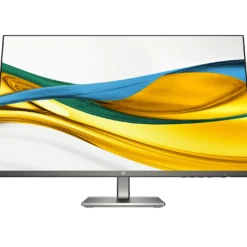
HP monitors
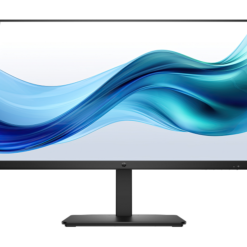
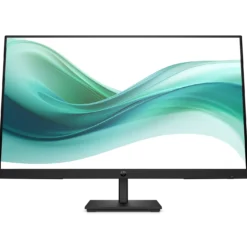
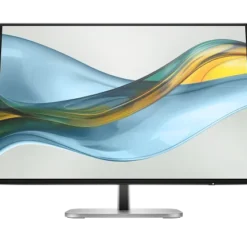
HP monitors
HP monitors
Lenovo Monitors
Lenovo Monitors
Lenovo Monitors
Lenovo Monitors
Lenovo Monitors
Lenovo Monitors
Buy Computer Monitors in Kenya
Computer monitors in Kenya are essential for office productivity, gaming, business applications, creative work and everyday computing. Supreme Networks supplies a wide range of display solutions for individuals, businesses, schools and institutions.
Explore monitors from HP, Dell, Lenovo, LG, Dahua and other technology brands. Compare Full HD, QHD, 4K, curved, ultrawide and gaming displays to find a suitable screen for your requirements.
Whether you are upgrading a desktop workstation, connecting an external display to a laptop or equipping an office, choosing the right monitor can improve comfort and productivity.
Types of Computer Monitors
Office Monitors
Office monitors are designed for everyday productivity tasks such as spreadsheets, accounting, document processing, email and business applications.
Consider screen size, resolution, viewing comfort and connectivity when selecting an office display.
Full HD Monitors
Full HD monitors have a resolution of 1920 × 1080 pixels. They are commonly used for general office work, education, browsing and entertainment.
Full HD displays are available in different sizes and configurations.
QHD Monitors
QHD monitors commonly offer a resolution of 2560 × 1440 pixels. They provide more screen detail and workspace than Full HD displays.
These monitors may suit professional work, multitasking, gaming and other applications requiring additional screen space.
4K UHD Monitors
4K UHD monitors typically offer a resolution of 3840 × 2160 pixels. They provide high pixel density for suitable design, content creation and professional applications.
Check whether your computer and graphics hardware support the required resolution and refresh rate.
Curved Monitors
Curved monitors use a display panel with a curved viewing surface. They are popular for selected gaming, multitasking and immersive viewing applications.
Compare the screen size, curvature, resolution and viewing distance before purchasing.
Ultrawide Monitors
Ultrawide monitors provide a wider viewing area than traditional 16:9 displays.
They can be useful for multitasking, video editing, spreadsheets and compatible gaming applications.
Gaming Monitors
Gaming monitors may offer higher refresh rates, faster pixel response times and adaptive refresh technologies.
When choosing a gaming display, compare refresh rate, response time, resolution, panel type and graphics card compatibility.
Professional Monitors
Professional monitors are designed for workloads such as graphic design, engineering, photography and content creation.
Depending on the application, colour accuracy, resolution, connectivity and ergonomic adjustments may be important.
Computer Monitor Brands in Kenya
HP Monitors
HP monitors are suitable for a variety of office, business and everyday computing requirements.
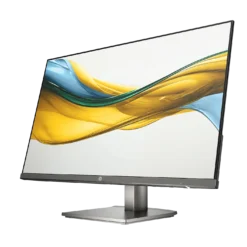
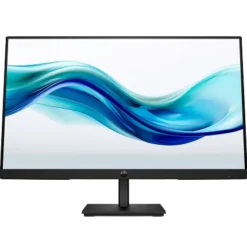
Our catalogue includes HP displays such as the HP Series 3 Pro 322pe 21.45-inch Full HD monitor.
Compare screen size, panel type, connectivity and mounting features before choosing a model.
Dell Monitors
Dell offers computer monitors for office productivity, business workstations and professional computing.
Compare available Dell models based on screen size, resolution, ergonomic features and supported connections.
Lenovo Monitors
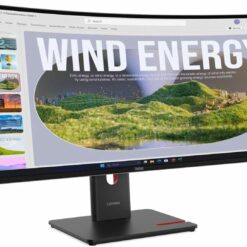
Lenovo monitors provide display options for compatible desktop computers, laptops and office setups.
Choose a monitor based on your workspace, resolution requirements and available connection ports.
LG Monitors
LG offers display products for productivity, gaming and multimedia applications.
Our catalogue includes the LG UltraGear 34GP63A-B 34-inch QHD curved gaming monitor.
Review the model's supported refresh rate, resolution and connectivity before purchase.
Dahua Monitors
Dahua offers display products for different professional and gaming applications.
Our catalogue includes the Dahua GO43A 31.5-inch UHD QD-OLED gaming monitor and the Dahua EW410CA 49-inch DQHD curved gaming monitor.
Compare display specifications to select the right model for your setup.
Computer Monitor Screen Sizes
21.5-Inch and 22-Inch Monitors
Compact monitors can suit office desks, reception areas, schools and workstations with limited space.
They are commonly considered for everyday productivity and general computing.
24-Inch Monitors
24-inch monitors are popular for office work, home computing and business applications.
Full HD resolution is common at this size, although available specifications vary by model.
27-Inch Monitors
27-inch monitors offer a larger viewing area for multitasking, productivity and gaming.
Depending on the model, they may support Full HD, QHD or 4K resolution.
32-Inch Monitors
32-inch monitors provide additional screen space for compatible professional, entertainment and gaming applications.
Consider resolution and viewing distance when selecting a larger display.
34-Inch Ultrawide Monitors
34-inch ultrawide monitors offer additional horizontal workspace for compatible applications.
They may be suitable for multitasking, content creation and gaming.
49-Inch Ultrawide Monitors
49-inch ultrawide monitors provide a very wide viewing area. They may suit demanding multitasking and immersive gaming setups.
Check desk space, mounting support and graphics compatibility before ordering.
Monitor Resolution Explained
Full HD vs QHD
Full HD provides 1920 × 1080 pixels, while standard QHD provides 2560 × 1440 pixels.
QHD offers more pixels and can display additional detail, depending on screen size and software scaling.
QHD vs 4K
4K UHD provides more pixels than standard QHD. It can be useful for detailed professional applications and high-resolution content.
However, higher resolution may require more graphics processing power.
What Is DQHD?
Dual QHD, commonly abbreviated DQHD, typically refers to a resolution of 5120 × 1440 pixels.
It provides a wide workspace comparable in pixel dimensions to two QHD displays placed side by side.
Monitor Panel Technologies
IPS Monitors
IPS panels are commonly selected for wide viewing angles and consistent colour presentation.
They may suit office work, content creation and general computing.
VA Monitors
VA panels are often known for relatively strong contrast performance.
They are used in different office, entertainment and gaming displays.
TN Monitors
TN panels are used in selected displays, including some performance-focused models.
Compare actual model specifications rather than assuming all monitors with the same panel technology perform identically.
OLED and QD-OLED Monitors
OLED displays use self-emissive pixels, allowing deep black levels and high contrast.
QD-OLED combines OLED display technology with quantum-dot colour conversion.
When choosing an OLED monitor, review warranty conditions and the manufacturer's guidance on image retention and burn-in.
Monitor Refresh Rates and Response Times
60Hz and 75Hz Monitors
Monitors with 60Hz or 75Hz refresh rates may suit general office applications and everyday computing.
100Hz and Higher Refresh Rate Monitors
Higher refresh rates can provide smoother motion when the connected computer supports the selected display mode.
144Hz and 165Hz Gaming Monitors
High-refresh-rate monitors are popular for compatible gaming applications.
To benefit from a high refresh rate, check the monitor, graphics hardware, connection standard and application performance.
Monitor Response Time
Response time describes how quickly display pixels transition between states under specified testing conditions.
Compare independent performance information where available, since manufacturer response-time measurements may use different methods.
Computer Monitor Connectivity
HDMI Monitors
HDMI is commonly used to connect monitors to desktops, laptops and other compatible devices.
Check the supported HDMI version and display capabilities when using high resolutions or refresh rates.
DisplayPort Monitors
DisplayPort is widely used for computer displays and can support different high-resolution and high-refresh-rate configurations.
USB-C Monitors
Selected monitors support video over USB-C. Some models also provide USB data connectivity and laptop charging.
Not every USB-C port supports video output or power delivery. Check the specifications of both devices.
VGA Monitors
VGA is an older analogue video connection used by some legacy computers and equipment.
Check compatibility before purchasing a monitor for an older system.
How to Choose the Right Computer Monitor
1. Identify Your Main Application
Start with how you intend to use the display. Office work, gaming, graphic design and surveillance monitoring have different requirements.
2. Choose a Suitable Screen Size
Consider desk space, viewing distance and the number of applications you normally use.
3. Compare Resolution
Higher resolutions provide more pixels, but they may require stronger graphics hardware and different display scaling.
4. Check the Refresh Rate
For everyday productivity, a standard refresh rate may be sufficient. Gaming and motion-sensitive applications may benefit from higher refresh rates.
5. Consider the Panel Type
IPS, VA and OLED technologies offer different characteristics. Compare actual model specifications for colour, contrast and response performance.
6. Confirm Connectivity
Ensure the monitor supports the HDMI, DisplayPort, USB-C or other connections required by your computer.
7. Review Ergonomic Features
Some monitors provide height, tilt, swivel or pivot adjustments.
These features can help users position the screen more comfortably.
8. Check VESA Mounting Compatibility
Selected monitors support VESA mounting for compatible arms and wall brackets.
Confirm the mounting pattern, monitor weight and bracket specifications.
9. Compare Warranty Terms
Review the applicable warranty and support conditions for the selected monitor.
Computer Monitors for Different Applications
Office Workstations
Office monitors support document processing, spreadsheets, email, accounting and business software.
Home Computing
Home users may require monitors for browsing, education, entertainment and everyday productivity.
Gaming Setups
Gaming displays may benefit from higher refresh rates, low input lag and adaptive refresh support.
Graphic Design and Content Creation
Creative applications may benefit from high resolution, suitable colour gamut coverage and good colour accuracy.
Software Development
Developers may prefer larger monitors, ultrawide displays or dual-monitor setups for code editing and multitasking.
Business and Corporate Offices
Businesses may choose standardised monitor configurations to simplify procurement, deployment and support.
CCTV Monitoring
Compatible monitors can display video from surveillance recorders and monitoring workstations.
Check resolution, operating requirements and the available video outputs.
Single Monitor vs Dual Monitor Setup
Single Monitor Setup
A single monitor can suit general computing, limited desk space and straightforward applications.
Dual Monitor Setup
Two monitors can provide additional workspace for spreadsheets, document comparison and multitasking.
Confirm that your computer supports the required number of external displays.
Ultrawide Monitor Setup
An ultrawide monitor offers an alternative to using two separate screens.
Consider window management, resolution and workspace requirements before choosing between these options.
Computer Monitor Accessories
HDMI and DisplayPort Cables
Choose compatible cables that support the required display resolution and refresh rate.
Monitor Arms and Stands
Compatible monitor mounts can help organise desk space and adjust viewing positions.
USB-C Adapters and Docking Stations
Adapters and docking stations may allow compatible laptops to connect to external monitors and other peripherals.
Power Protection
Suitable surge protection and UPS equipment may help protect compatible computer installations.
Frequently Asked Questions About Computer Monitors
Where Can I Buy Computer Monitors in Kenya?
Supreme Networks supplies computer monitors in Nairobi, with delivery options across Kenya.
Do You Sell HP, Dell and Lenovo Monitors?
Our monitor categories include HP, Dell and Lenovo displays. Check the product listings for available models.
Do You Sell Gaming Monitors?
Yes. Our catalogue includes gaming displays from brands such as LG and Dahua.
What Is the Best Monitor Size for Office Work?
Many users consider 22-inch, 24-inch and 27-inch monitors for office work. The right size depends on desk space, viewing distance and workload.
Is a 24-Inch or 27-Inch Monitor Better?
A 27-inch monitor provides a larger screen area. However, resolution, viewing distance and workspace requirements also matter.
What Is the Difference Between Full HD and 4K?
Full HD provides 1920 × 1080 pixels, while 4K UHD provides 3840 × 2160 pixels.
Are Curved Monitors Good for Office Work?
Curved monitors can suit some office and multitasking applications, particularly in larger ultrawide formats.
Can I Connect a Monitor to My Laptop?
Yes, if your laptop supports an appropriate video output and the monitor has a compatible input.
Do All Monitors Have HDMI?
No. Available connections vary by model. Check the specifications before ordering.
What Is the Difference Between IPS and VA Monitors?
IPS panels commonly offer wide viewing angles, while VA panels often provide stronger native contrast. Actual performance varies by model.
Do You Supply Monitors for Bulk Orders?
Contact Supreme Networks for quotations on suitable corporate, educational and institutional monitor requirements.
Order Computer Monitors in Nairobi, Kenya
Shop computer monitors in Kenya at Supreme Networks. Explore HP, Dell, Lenovo, LG and Dahua displays for office work, gaming, professional applications and everyday computing.
Contact us for product specifications, quotations, bulk orders and delivery enquiries.
Visit Supreme Networks at Queensway House, 3rd Floor, Kaunda Street, Nairobi.
Call 0711664906 or email [email protected].