
Shop internal hard drives in Kenya at Supreme Networks for compatible desktop computers, laptops, servers and storage systems. Explore mechanical hard disk drives in different capacities, interfaces and form factors.
Browse SATA internal hard drives for supported desktop computers and other storage devices. These drives provide space for operating systems, applications, documents and media files.
Find desktop computer hard drives in the common 3.5-inch format. However, always confirm the available drive bay and connection before ordering.
Explore laptop internal hard drives in the 2.5-inch format for compatible notebooks and compact systems. In addition, check drive thickness and interface requirements.
Discover enterprise SAS hard drives, including selected Dell server storage products, for compatible business and enterprise systems. Unlike SATA drives, SAS models require appropriate controller support.
Before buying, compare capacity, interface, rotational speed, form factor and system compatibility.
For solid-state alternatives, browse our Internal SSDs category. You can also explore Storage Products for additional storage options.

Internal Hard Drives
Internal Hard Drives
Internal Hard Drives
Internal Hard Drives
Internal Hard Drives
Internal Hard Drives
Internal Hard Drives
Internal Hard Drives
Internal Hard Drives
Buy Internal Hard Drives in Kenya
Internal hard drives provide storage for compatible computers, servers and business systems. At Supreme Networks, you can explore mechanical hard disk drives from Seagate, Western Digital and Toshiba.
Our selection includes desktop SATA drives and enterprise storage models. In addition, different capacities are available for everyday computing and larger storage requirements.
SATA Internal Hard Drives
SATA internal hard drives connect to compatible computer motherboards and storage controllers. They are commonly used in desktop computers and selected servers.
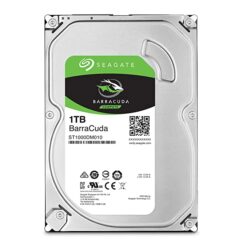
Our listings include Seagate desktop HDDs in 1TB, 2TB and 4TB capacities. However, check your system's available connections and drive bays before ordering.
Desktop Computer Hard Drives
Desktop computer hard drives commonly use the 3.5-inch form factor. They provide space for operating systems, applications, documents and media.
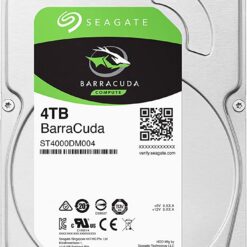
For example, the Seagate 4TB ST4000DM004 is a desktop internal hard drive. In addition, our listings include selected 1TB and 2TB Seagate models.
Laptop Internal Hard Drives
Laptop internal hard drives commonly use the 2.5-inch form factor. However, not every laptop supports a mechanical HDD.
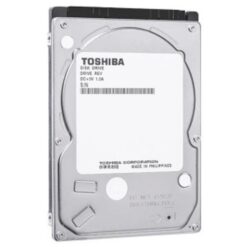
Our listings include the Toshiba SHD0P03180 1TB 2.5-inch SATA hard drive. Before ordering, confirm the laptop's interface, drive thickness and available installation space.
Enterprise SAS Hard Drives
Enterprise SAS hard drives are designed for compatible server and storage environments. They require suitable SAS controllers and may use different drive carriers.
For example, Supreme Networks also lists a Dell 2TB 7.2K RPM NL-SAS 12Gbps hard drive within its server storage range.
Therefore, verify the server model, controller, firmware requirements and drive carrier before purchasing.
Enterprise SATA Hard Drives
Some business storage systems use enterprise SATA hard drives. These products may offer workload and reliability characteristics suited to supported enterprise applications.
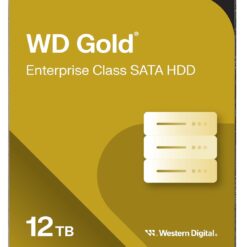
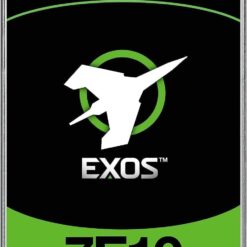
Our listings include the Seagate Exos 7E10 8TB and WD Gold 12TB hard drives. However, suitability depends on the intended system and workload.
Internal HDD vs Internal SSD
Internal hard disk drives use rotating magnetic disks to store data. In contrast, solid state drives use flash memory and have no moving parts.
SSDs generally offer faster access speeds. Meanwhile, HDDs can provide economical large-capacity storage.
For solid-state storage, browse our Internal SSDs category.
How to Choose the Right Internal Hard Drive
First, identify the computer or server model. Next, confirm the required drive interface and physical size.
- Capacity: Compare 1TB, 2TB, 4TB and higher-capacity models.
- Interface: Confirm SATA or SAS controller compatibility.
- Form factor: Check 2.5-inch or 3.5-inch drive support.
- Rotational speed: Compare 5,400 RPM, 7,200 RPM and other supported speeds.
- Workload: Choose a drive suited to desktop or enterprise use.
- Mounting: Check brackets, carriers and available drive bays.
- Warranty: Review the applicable product terms.
Internal Hard Drives for Data Storage
Internal HDDs can store documents, applications, photographs and business files. In addition, enterprise drives may support compatible multi-drive storage systems.
However, a hard drive can fail unexpectedly. Therefore, keep additional backups of important data.
Explore More Storage Products
Browse our Storage Products category for other storage devices.
For portable USB storage, explore External Hard Drives.
For compatible DVR and NVR recording systems, visit Surveillance Hard Drives.
For manufacturer information, visit Seagate.
Frequently Asked Questions
What is an internal hard drive?
An internal hard drive is a storage device installed inside a compatible computer, server or storage system.
What is the difference between SATA and SAS hard drives?
SATA and SAS use different storage interfaces. SAS drives require compatible controller support, while SATA drives are commonly used in desktop systems.
Can I install a desktop hard drive in a laptop?
Usually not. Most desktop HDDs use a larger 3.5-inch form factor, while compatible laptop HDDs typically use 2.5-inch drives.
Are internal HDDs suitable for backups?
They can store backup data. However, important files should also have copies stored separately.
Which capacity should I choose?
Choose according to the amount of data you store, your future needs and your system's supported capacity.