
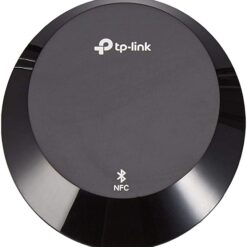
Tp-link Adapter
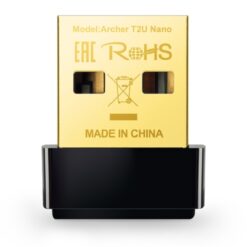
Tp-link Adapter
Tp-link AC600 Nano Wireless USB Adapter-(TL-Archer T2U Nano)
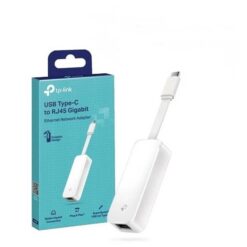
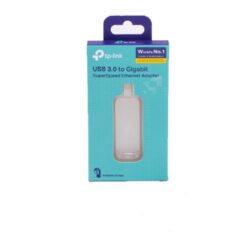
Tp-link Adapter
Tp-link Adapter
Tp-link Adapter
Tp-link Adapter
Tp-link Adapter
Tp-link Adapter
Tp-link Adapter
Tp-link Adapter
Buy TP-Link Adapters in Kenya for Laptops and Desktop Computers
Supreme Networks supplies TP-Link adapters in Kenya for wireless networking, wired Ethernet connections, Bluetooth connectivity and USB expansion. Explore USB Wi-Fi adapters, nano wireless dongles, Gigabit Ethernet adapters, USB-C hubs, USB 3.0 hubs and PCI wireless network cards for compatible computers.
TP-Link network adapters help connect devices to existing networks, add missing connectivity features and expand the available ports on laptops and desktop computers. Whether you need to connect a desktop PC to Wi-Fi, add a wired Ethernet connection to a laptop or increase your USB connectivity, choosing the correct adapter is essential.
Types of TP-Link Adapters Available in Kenya
TP-Link USB Wi-Fi Adapters
TP-Link USB Wi-Fi adapters provide wireless network connectivity to compatible computers through a USB port. They are useful for desktop computers without built-in Wi-Fi, laptops with unsuitable wireless hardware and other supported devices.
Choose according to the supported Wi-Fi standard, frequency bands, USB interface, antenna design and operating-system compatibility.
TP-Link Nano Wireless USB Adapters
TP-Link nano Wi-Fi adapters feature compact designs suitable for compatible laptops and desktop computers where a small USB accessory is preferred.
Models such as the TL-WN725N and Archer TX1U Nano are examples of compact wireless adapters listed by Supreme Networks.
Actual wireless performance depends on the adapter, router, signal strength and surrounding network conditions.
TP-Link Dual-Band Wireless Adapters
Dual-band wireless adapters can connect to compatible 2.4GHz and 5GHz Wi-Fi networks.
The 2.4GHz band is commonly used for broader coverage, while 5GHz can offer higher throughput under suitable conditions.
Examples include selected TP-Link Archer wireless adapters. Confirm the frequency bands supported by the exact model.
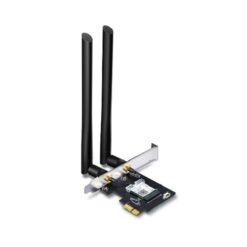
TP-Link Wi-Fi and Bluetooth Adapters
Combined Wi-Fi and Bluetooth adapters provide two connectivity functions through compatible computer interfaces.
They can be useful for connecting to wireless networks while also supporting compatible Bluetooth peripherals such as keyboards, mice and headphones.
Check the supported Bluetooth version, Wi-Fi standard and operating-system requirements.
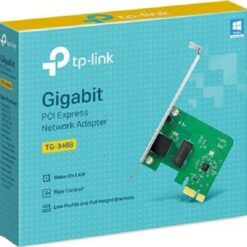
TP-Link USB to Ethernet Adapters
TP-Link USB-to-Ethernet adapters provide wired network connectivity to compatible computers through USB.
They are useful for laptops without built-in RJ45 Ethernet ports and computers requiring an additional network interface.
Compare Fast Ethernet, Gigabit Ethernet and other supported interface speeds before ordering.
TP-Link USB-C Hubs
TP-Link USB-C hubs expand the connectivity options available through compatible USB Type-C ports.
Depending on the model, a hub may provide additional USB ports and other interfaces.
Check the exact model specifications to confirm supported data speeds, video outputs, power delivery and device compatibility.
TP-Link USB 3.0 Hubs
USB 3.0 hubs provide additional USB connections for compatible computers.
They can be used to connect supported peripherals such as keyboards, mice, flash drives, printers and external storage devices.
Available bandwidth and power delivery depend on the hub and connected computer.
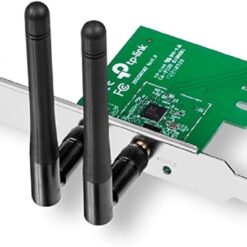
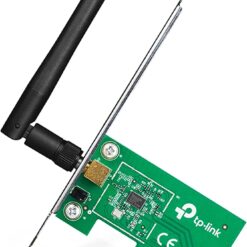
TP-Link PCI Wireless Network Adapters
PCI wireless adapters are designed for installation in compatible desktop computers with the required expansion interface.
They provide wireless connectivity without occupying an external USB port.
Before purchasing, confirm the motherboard slot type, operating-system support and antenna requirements.
TP-Link USB Wi-Fi Adapter Models
TP-Link Archer T2UB Nano AC600 Wi-Fi and Bluetooth Adapter
The TP-Link Archer T2UB Nano combines Wi-Fi and Bluetooth connectivity in a compact USB adapter.
It is suitable for compatible computers requiring wireless network access and Bluetooth peripheral connections.
Check the supported operating systems and Bluetooth functionality before purchasing.
TP-Link Archer TX1U Nano AX300 Wireless Adapter
The TP-Link Archer TX1U Nano AX300 is a compact wireless USB adapter intended for compatible Wi-Fi networking applications.
Its small form factor makes it useful for computers where a discreet wireless adapter is preferred.
Compare its supported wireless bands, interface and operating-system requirements with your router and computer.
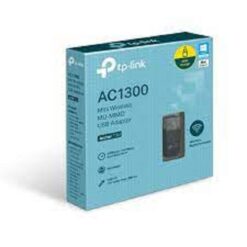
TP-Link Archer T4U AC1300 Wireless USB Adapter
The TP-Link Archer T4U AC1300 provides dual-band wireless connectivity for compatible computers.
It can be considered for users requiring a wireless adapter for supported 2.4GHz and 5GHz networks.
Wireless speeds are theoretical link rates and do not represent guaranteed internet throughput.
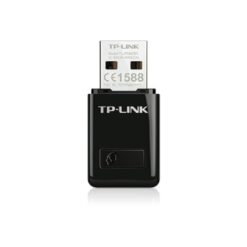
TP-Link TL-WN823N 300Mbps Mini Wireless Adapter
The TP-Link TL-WN823N is a compact Wireless N USB adapter for compatible computers.
It supports suitable 2.4GHz Wi-Fi networks and can be used for everyday wireless connectivity.
Check software compatibility before installing it on newer operating systems.
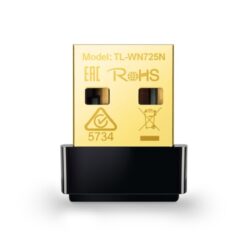
TP-Link TL-WN725N Wireless N Nano Adapter
The TP-Link TL-WN725N is a compact Wireless N USB adapter designed for compatible 2.4GHz Wi-Fi connections.
Its nano design is useful where a small USB adapter is preferred.
It can be considered for basic wireless networking tasks when its supported speed and standard meet the requirements.
TP-Link TL-WN727N 150Mbps Wireless USB Adapter
The TP-Link TL-WN727N is a Wireless N USB adapter for compatible computers requiring 2.4GHz wireless connectivity.
Confirm the product hardware version and supported operating systems before purchasing.
TP-Link TL-WN723N 150Mbps Mini Wireless Adapter
The TP-Link TL-WN723N is a compact wireless USB adapter intended for compatible Wireless N networks.
It can provide basic Wi-Fi connectivity to supported computers without suitable built-in wireless hardware.
TP-Link TL-WN851ND PCI Wireless Adapter
The TP-Link TL-WN851ND is a Wireless N PCI adapter for compatible desktop computers.
Unlike external USB adapters, it requires installation in a suitable internal expansion slot.
Verify motherboard compatibility and available driver support before ordering.
TP-Link Ethernet and USB Hub Models
TP-Link UE330 USB 3.0 Gigabit Ethernet Adapter
The TP-Link UE330 combines a Gigabit Ethernet interface with three USB 3.0 ports.
It can be useful for compatible laptops and computers requiring both wired network connectivity and additional USB connections.
Gigabit Ethernet performance depends on the host computer, USB interface, network equipment and cabling.
TP-Link UH700 7-Port USB 3.0 Hub
The TP-Link UH700 provides seven USB 3.0 ports for connecting compatible USB peripherals.
It is useful for workstations requiring additional connections for external drives, keyboards, mice and other supported accessories.
Check the hub's power requirements and connected device power consumption.
TP-Link UH6120C USB Type-C 6-Port Hub
The TP-Link UH6120C is a USB Type-C hub designed to expand connectivity on compatible computers.
It can help users connect additional peripherals through a supported USB-C interface.
Confirm the exact port configuration and supported functions from the product specifications.
TP-Link UH9120C 9-Port USB Type-C Hub
The TP-Link UH9120C provides multiple connectivity options through a compatible USB Type-C connection.
It can be considered for laptop and workstation setups requiring several peripheral connections.
Check the supported USB functions, video capabilities and power delivery specifications for the exact model.
TP-Link USB Wi-Fi Adapters vs PCI Wireless Adapters
Advantages of USB Wi-Fi Adapters
USB wireless adapters are generally convenient to connect and remove without opening the computer.
They can be suitable for laptops, desktop computers and temporary wireless networking requirements.
Installation requirements depend on the model and operating system.
Advantages of PCI Wireless Adapters
PCI wireless adapters provide an internal wireless networking option for compatible desktop computers.
They may be preferable where a permanent internal installation is required and a suitable expansion slot is available.
Check the adapter's antenna configuration and compatibility before installation.
Which TP-Link Wireless Adapter Should You Choose?
Choose a USB adapter if you need convenient external connectivity or are using a compatible laptop.
Consider an internal PCI adapter for a compatible desktop computer where internal installation is preferred.
For either option, compare supported Wi-Fi standards, frequency bands, drivers and antenna characteristics.
TP-Link Wi-Fi 4, Wi-Fi 5 and Wi-Fi 6 Adapters
TP-Link Wireless N Adapters
Wireless N, also known as IEEE 802.11n or Wi-Fi 4, is supported by several TP-Link USB and PCI wireless adapters.
These adapters can be suitable for basic networking requirements when their capabilities meet the user's needs.
TP-Link Wireless AC Adapters
Wireless AC, also known as Wi-Fi 5, supports suitable 5GHz wireless networking and is commonly found in dual-band adapters.
Examples include selected Archer wireless adapters.
Choose according to the router capabilities, signal environment and required network performance.
TP-Link Wi-Fi 6 Adapters
Wi-Fi 6, based on IEEE 802.11ax, introduces improvements in wireless efficiency and performance under supported conditions.
Wi-Fi 6 adapters can connect to compatible wireless networks, with available features depending on the adapter and router.
Confirm the specific adapter's supported frequency bands and hardware requirements.
Do Wi-Fi 6 Adapters Work with Older Routers?
Many Wi-Fi 6 adapters are backward compatible with older supported Wi-Fi standards.
However, the connection will operate according to the capabilities negotiated between the adapter and wireless router.
Check the exact model specifications for compatibility.
TP-Link Wi-Fi Adapters for Home and Office
TP-Link Wi-Fi Adapters for Desktop Computers
Desktop computers without suitable built-in wireless hardware can use compatible TP-Link USB or internal wireless adapters.
This can provide Wi-Fi access without installing a separate Ethernet cable to the computer.
TP-Link Wi-Fi Adapters for Laptops
TP-Link USB Wi-Fi adapters can provide an alternative wireless interface for compatible laptops.
They may be useful when built-in Wi-Fi hardware is unavailable, unsuitable or lacks a required feature.
TP-Link Adapters for Office Workstations
Office workstations may require wireless networking, Gigabit Ethernet or additional USB connectivity.
TP-Link adapters and hubs can help meet these requirements when compatible with the computers and network infrastructure.
TP-Link Adapters for Schools and Computer Laboratories
Computer laboratories may use wireless or wired network adapters to connect compatible desktop computers and laptops.
When purchasing adapters in quantity, check operating-system compatibility and driver deployment requirements.
TP-Link Adapters for Remote Working
Remote workers may use USB Wi-Fi adapters for wireless connectivity or Ethernet adapters for suitable wired connections.
USB hubs can also help connect multiple peripherals to compatible laptops.
TP-Link USB to Ethernet Adapters
Why Use a USB Ethernet Adapter?
Some modern laptops do not include a built-in RJ45 Ethernet port.
A compatible USB-to-Ethernet adapter provides a wired network interface for connecting to routers, switches and network outlets.
Gigabit Ethernet vs Fast Ethernet Adapters
Fast Ethernet commonly supports speeds up to 100Mbps, while Gigabit Ethernet supports a nominal link rate of 1000Mbps.
Choose an adapter according to the speed supported by your network and computer.
Wired Ethernet vs Wi-Fi Connectivity
Wired Ethernet can provide predictable connectivity where suitable cabling is available.
Wi-Fi offers mobility and flexibility but depends on wireless coverage, interference and connected equipment.
Choose according to the installation and working environment.
Can a TP-Link Ethernet Adapter Improve Internet Speed?
An Ethernet adapter may remove a local connectivity limitation when replacing a slower or unreliable interface.
However, actual internet performance also depends on the internet service, router, switch, cabling and connected computer.
TP-Link USB Hubs for Laptops and Workstations
Why Use a TP-Link USB Hub?
A USB hub expands the number of available peripheral connections on a compatible computer.
It can be useful when several devices need to connect through a limited number of USB ports.
USB 3.0 vs USB 2.0
USB 3.0 supports higher nominal data transfer rates than USB 2.0 when both the host and connected device support the faster interface.
Actual transfer speeds depend on the connected hardware, cable and shared hub bandwidth.
USB-C Hub Compatibility
USB Type-C describes a connector shape and does not guarantee support for every USB data, video or power feature.
Before purchasing a USB-C hub, check the host computer's supported USB-C functions and the hub's technical specifications.
USB Hub Power Requirements
USB hubs and connected peripherals have different power requirements.
Some hubs use external power supplies, while others depend on the host computer.
Check power specifications before connecting several high-power peripherals.
How to Choose the Best TP-Link Adapter in Kenya
Identify the Connection You Need
Start by deciding whether you need Wi-Fi, Bluetooth, wired Ethernet or additional USB ports.
Different TP-Link adapters perform different functions and are not interchangeable.
Check Computer Compatibility
Confirm the supported operating system, USB interface or expansion slot before ordering.
Some older wireless adapters may have limited driver support for newer computers.
Check Wireless Frequency Bands
Some wireless adapters support only 2.4GHz networks, while others support both 2.4GHz and 5GHz.
Choose according to your router and intended wireless environment.
Compare Wireless Speeds
Wireless adapter speed ratings describe theoretical connection capabilities under specified conditions.
Actual throughput depends on the router, interference, signal quality, client hardware and network traffic.
Check USB Port Availability
Before buying a USB adapter or hub, confirm the available ports on your computer.
USB-A and USB-C connectors are physically different and may require different accessories.
Check Driver Availability
Wireless adapters may require operating-system drivers or additional software.
Check the manufacturer support information for the exact hardware version before purchasing.
Consider Bluetooth Requirements
If you need to connect Bluetooth peripherals, choose an adapter that explicitly supports Bluetooth.
Ordinary USB Wi-Fi adapters do not necessarily include Bluetooth functionality.
Compare Adapter Size and Portability
Nano wireless adapters are compact and convenient for portable use.
Larger adapters may provide different antenna arrangements or other features.
Choose according to the intended installation and network requirements.
Frequently Asked Questions About TP-Link Adapters
What Is a TP-Link Wi-Fi Adapter?
A TP-Link Wi-Fi adapter is a networking device that enables compatible computers to connect to supported wireless networks.
Can I Add Wi-Fi to a Desktop Computer?
Yes. A compatible USB or internal wireless adapter can add Wi-Fi connectivity to a desktop computer.
Which TP-Link Adapter Supports Wi-Fi and Bluetooth?
The TP-Link Archer T2UB Nano is an example of a combined Wi-Fi and Bluetooth adapter listed by Supreme Networks.
What Is the Difference Between Archer T4U and TL-WN725N?
The Archer T4U is a dual-band Wireless AC adapter, while the TL-WN725N is a compact Wireless N adapter intended for compatible 2.4GHz connections.
What Is the TP-Link UE330 Used For?
The UE330 provides a Gigabit Ethernet interface and three USB 3.0 ports through a compatible USB connection.
Does the TP-Link UH700 Provide Wi-Fi?
No. The UH700 is a USB hub designed to provide additional USB connections rather than wireless networking.
Can a TP-Link USB Wi-Fi Adapter Work with Any Router?
It can connect to routers supporting compatible Wi-Fi standards and security settings. Confirm the adapter and router specifications.
Do TP-Link Wireless Adapters Need Drivers?
Some models require drivers or additional software, depending on the operating system and hardware version.
Can I Use a TP-Link Adapter on Windows 11?
Compatibility depends on the exact adapter model, hardware version and available drivers. Check the manufacturer's supported operating-system list.
Is a USB Wi-Fi Adapter Better Than a PCI Adapter?
USB adapters are convenient for external installation, while PCI adapters provide an internal option for compatible desktop computers. The better choice depends on the hardware and intended use.
What Is the Difference Between USB-A and USB-C Hubs?
USB-A and USB-C describe different physical connector types. Supported data transfer, power and video functions depend on the specific hub and computer.
Can a USB Ethernet Adapter Replace a Built-In LAN Port?
Yes. A compatible USB Ethernet adapter can provide wired network connectivity where a built-in LAN port is unavailable or unsuitable.
Where Can I Buy TP-Link Adapters in Nairobi?
Supreme Networks supplies TP-Link wireless adapters, Ethernet adapters and USB hubs in Nairobi, Kenya, with delivery options across the country.
Order TP-Link Adapters Online in Kenya
Buy TP-Link adapters in Kenya from Supreme Networks for home networking, office connectivity, laptops, desktop computers and professional ICT applications.
Explore TP-Link USB Wi-Fi adapters, nano wireless dongles, Wi-Fi and Bluetooth adapters, USB-to-Gigabit-Ethernet adapters, PCI wireless cards, USB-C hubs and USB 3.0 hubs.
For product inquiries, bulk orders and quotations, contact Supreme Networks at Queensway House, 3rd Floor, Kaunda Street, Nairobi, Kenya.
Call 0711664906 or email [email protected] for assistance choosing compatible TP-Link adapters and arranging delivery across Kenya.