
Protect Your Business Network with MikroTik
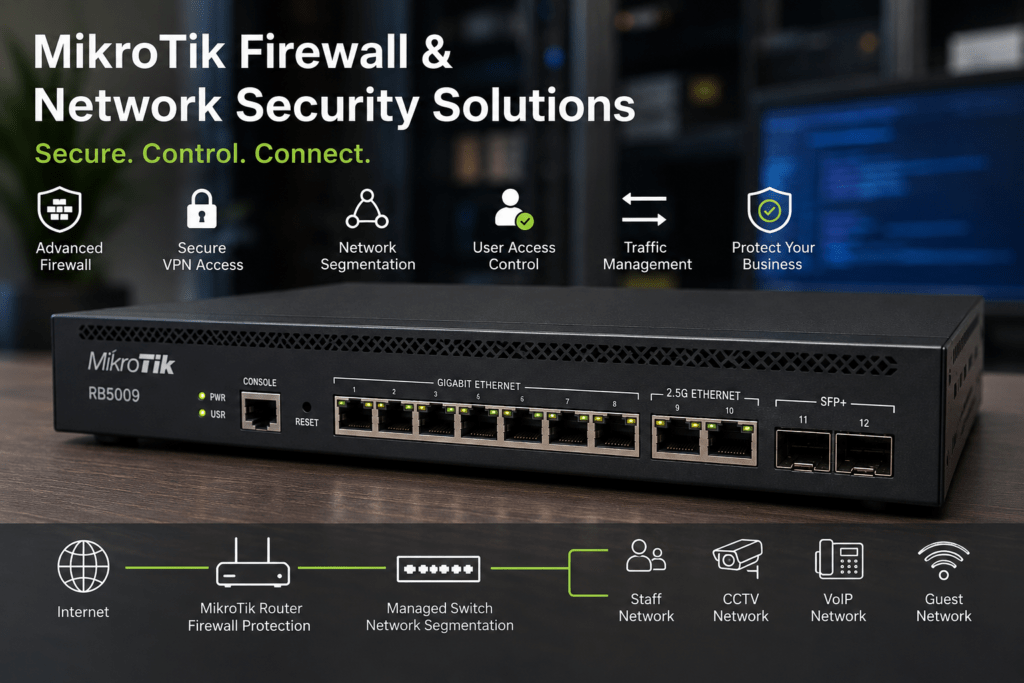
MikroTik firewall and network security solutions give businesses greater control over how traffic enters, leaves and moves across their networks. With RouterOS, suitable MikroTik routers can support firewall policies, network segmentation, VPN connectivity, access controls and other tools used to build a more controlled business network.
At Supreme Networks, we supply MikroTik routers and networking equipment for offices, schools, hotels, organizations, ISPs and other customers in Nairobi and across Kenya. Whether you are securing a small office or designing a more advanced multi-site network, the right solution starts with understanding your users, applications and connectivity requirements.
Need a MikroTik router for a secure business network? Contact Supreme Networks for current models, pricing, availability and quotations.
Why Network Security Starts at the Router
Your router sits between your internal network and other networks, including the internet.
Therefore, it plays an important role in controlling network traffic.
A basic business network may look like:
Internet → MikroTik Router → Managed Switch → Users
However, modern organizations often operate several different services on the same infrastructure:
Staff | Guests | CCTV | VoIP | Servers | Wi-Fi
Without proper network design, these devices may have more access to each other than necessary.
MikroTik can help administrators introduce rules and network separation according to business requirements.
Understanding the MikroTik Firewall
RouterOS includes firewall functionality that allows administrators to control network traffic according to configured rules.
Firewall policies can determine which traffic should be:
- Accepted
- Dropped
- Rejected
- Logged
- Processed according to other configured rules
The exact configuration depends on the network.
A small office may require relatively straightforward protection. Meanwhile, a larger organization may need more detailed rules between departments, servers, guest networks and remote users.
Control Traffic Entering Your Network
Internet-facing networks receive traffic from outside the organization.
Not all of that traffic should be allowed to reach internal systems.
Firewall rules can help limit unnecessary access while permitting required services.
For example, a business may want employees to browse the internet normally while preventing unsolicited connections from reaching internal devices.
The firewall should therefore follow a deliberate policy rather than simply allowing every connection.
Protect the Router Itself
Network security is not only about protecting computers behind the router.
The router also needs protection.
Administrative services should not be unnecessarily exposed to untrusted networks.
Good network administration can include restricting management access, using strong credentials, disabling unnecessary services and keeping RouterOS appropriately maintained.
Remote management should also be designed carefully.
Separate Staff and Guest Networks
Guest Wi-Fi is common in offices, hotels, restaurants and other organizations.
However, visitors usually do not need access to business computers, servers, printers or CCTV systems.
A better architecture is:
Internet
↓
↓
Staff Network | Guest Network
Firewall policies can then control communication between the networks.
Guests can receive internet connectivity without automatically receiving access to internal business resources.
Use VLANs to Organize Your Network
VLANs allow several logical networks to operate across shared physical infrastructure.
For example, an organization might create:
VLAN 10 – Staff
VLAN 20 – Guests
VLAN 30 – CCTV
VLAN 40 – VoIP
VLAN 50 – Servers
The exact numbering does not matter. What matters is having a clear network structure.
Once the network is segmented, firewall rules can determine which VLANs are allowed to communicate.
Isolate CCTV Traffic
IP CCTV systems can contain many cameras continuously communicating with an NVR or server.
In some environments, separating surveillance equipment from the normal employee network can make administration easier.
For example:
CCTV Cameras → CCTV VLAN → NVR
Employees can remain on a different VLAN.
Firewall policies can then control which users or management systems can access the surveillance network.
This creates a more structured design than placing cameras and office computers on one unrestricted network.
Separate VoIP from Other Services
VoIP phones also share network infrastructure with computers, access points and other systems.
Organizations may choose to place voice devices on their own VLAN.
For example:
Data VLAN → Computers
Voice VLAN → IP Phones
This can make the network easier to organize and can support traffic-management policies where required.
Control Communication Between Departments
Larger organizations may have several departments with different network requirements.
For example:
Finance | Administration | Operations | Guests
Not every department necessarily needs unrestricted access to every internal resource.
MikroTik routing and firewall policies can form part of a network design that controls communication between different network segments.
However, access policies should reflect actual business requirements rather than adding unnecessary complexity.
Secure Remote Access with VPNs
Employees and administrators increasingly need access to business systems while working away from the office.
Simply exposing internal services directly to the internet can create unnecessary risk.
A VPN can provide a more controlled method of remote connectivity.
A simplified design might look like:
Remote User → Secure VPN → MikroTik Router → Authorized Network Resources
RouterOS supports several VPN technologies, depending on the RouterOS version and network design.
The appropriate option should be selected based on compatibility, security requirements and performance.
Connect Branch Offices
VPNs can also connect separate business locations.
For example:
Nairobi Head Office ⇄ VPN ⇄ Branch Office
This can allow approved network resources to communicate between sites through an encrypted connection.
Multi-site connectivity can be useful for:
- Branch offices
- Warehouses
- Retail locations
- Remote administration
- Shared business systems
However, the router must have enough performance for the expected encrypted traffic.
MikroTik for Dual-WAN Networks
Internet connectivity has become critical for many businesses.
If the primary ISP connection fails, cloud applications, email, VoIP and other online services may become unavailable.
Businesses can therefore use more than one internet connection.
For example:
ISP 1 + ISP 2 → MikroTik Router → Business Network
A suitable configuration can provide failover when the primary connection becomes unavailable.
This improves internet resilience, although it does not replace other network-security measures.
Firewall and Failover Work Together
Adding a second ISP connection introduces another internet-facing interface.
Therefore, security policies should account for both connections.
Firewall rules, remote-access policies and routing should be reviewed whenever additional WAN connections are introduced.
A backup internet link should not accidentally create an uncontrolled path into the business network.
Control Internet Access Where Required
Some organizations need more control over how network resources are used.
Depending on the requirement and configuration, RouterOS can form part of policies involving:
- User networks
- Guest access
- Bandwidth allocation
- Destination restrictions
- Service access
- Time-based network rules
However, these policies should have a clear business purpose.
Overly complicated rules can make networks harder to troubleshoot and maintain.
Bandwidth Management and Network Control
Security is not the only reason businesses need network control.
One user or service consuming excessive bandwidth can affect everyone else.
MikroTik provides traffic-management features that can help administrators allocate or prioritize network capacity.
This can be useful where bandwidth must be shared between:
- Employees
- Guest users
- VoIP
- Business applications
- Branch connections
- Other services
Network performance and security should be planned together rather than treated as completely separate systems.
Protect Your Wi-Fi Network
Wireless security depends on more than the access point password.
The network behind the Wi-Fi also matters.
A business may provide:
Staff Wi-Fi
and
Guest Wi-Fi
These networks can use different VLANs and firewall policies.
Therefore, even though both wireless networks may use the same physical switching infrastructure, their traffic can remain logically separated.
MikroTik Security for Hotels
Hotels often operate several services across one network infrastructure.
These may include:
- Guest Wi-Fi
- Administration
- CCTV
- VoIP
- Servers
- Access-control systems
Allowing unrestricted communication between all these systems is rarely ideal.
A structured network can use VLANs and firewall policies to separate services according to operational requirements.
For example, hotel guests may receive internet access without access to administration or CCTV networks.
MikroTik Security for Schools
Schools also have diverse network users.
Students, teachers, administrators, CCTV cameras and visitors may all connect through the same infrastructure.
Segmentation can help separate these environments.
For example:
Administration | Teachers | Students | Guests | CCTV
Policies can then determine what each network can access.
This can make the overall network easier to control and troubleshoot.
MikroTik Security for Small Businesses
Network segmentation is not only for large enterprises.
A smaller company may still have:
- Employee computers
- Guest Wi-Fi
- CCTV
- Printers
- Cloud applications
- Network storage
Even a relatively simple network can benefit from separating guest access from internal business resources.
The solution does not need to be unnecessarily complicated.
It simply needs to match the organization’s requirements.
Choose the Right MikroTik Router
Firewall and VPN functionality require router processing resources.
Therefore, router selection should consider more than internet speed.
Important factors include:
- Internet bandwidth
- Number of users
- Firewall complexity
- Number of VLANs
- VPN traffic
- Number of VPN users
- Dual-WAN requirements
- Bandwidth management
- Expected network growth
A router that is suitable for a ten-user office may not be appropriate for a large organization handling substantial VPN and firewall traffic.
MikroTik hEX for Smaller Networks
Suitable models from the MikroTik hEX family can provide routing functionality for smaller wired business networks.
They can work well where wireless connectivity is handled by separate access points.
For example:
Internet → hEX → Managed Switch → Users / Access Points
This allows the business to separate routing from wireless infrastructure.
MikroTik L009 for Growing Networks
The MikroTik L009 provides another option for organizations that need more capable network infrastructure than basic entry-level routers.
It can suit growing office and branch environments where RouterOS functionality, network segmentation and structured connectivity are required.
As always, suitability depends on the complete workload.
RB5009 for More Demanding Networks
The MikroTik RB5009 can be considered for businesses requiring higher performance and faster connectivity.
Its combination of Gigabit, multi-gigabit and SFP+ connectivity makes it useful for modern network environments.
Potential applications include:
- Business internet gateways
- Multi-VLAN networks
- VPN connectivity
- Dual-WAN deployments
- High-speed network uplinks
For significantly more demanding environments, Cloud Core Router platforms may also be considered.
Keep RouterOS Updated
Network security is an ongoing process.
Routers should not be installed and then forgotten.
Administrators should maintain appropriate RouterOS versions and review configurations periodically.
It is also sensible to maintain backups before significant changes.
Good network security depends on both the initial configuration and ongoing management.
Monitor Your Network
Monitoring can help administrators identify unusual conditions before they become serious problems.
Useful information may include:
- Interface utilization
- Failed login attempts
- Network traffic
- CPU usage
- Link status
- VPN connectivity
- Bandwidth consumption
The exact monitoring requirements depend on the organization.
However, visibility is an important part of maintaining a reliable network.
Avoid Unnecessary Complexity
A firewall with hundreds of poorly documented rules is not automatically more secure than a simpler configuration.
Good network policies should be understandable.
Administrators should know:
What is allowed?
What is blocked?
Why does the rule exist?
Which systems depend on it?
Clear documentation makes future troubleshooting and maintenance much easier.
How to Plan a MikroTik Secure Network
Before selecting equipment or designing firewall policies, identify:
- Number of users
- Internet connection speed
- Number of departments
- Guest Wi-Fi requirements
- CCTV requirements
- VoIP requirements
- Server access
- Remote-access requirements
- Branch-office connectivity
- Number of ISP connections
- VLAN requirements
- Expected growth
These requirements help determine both the router and network architecture.
MikroTik Firewall and Network Security Solutions
Supreme Networks supplies MikroTik firewall and network security solutions for businesses and organizations in Nairobi and across Kenya.
Our MikroTik range can include:
- Business routers
- hEX routers
- L009 routers
- RB5009 routers
- Cloud Core Routers
- Managed switches
- Wireless networking equipment
- Fiber networking equipment
The correct combination depends on the size and complexity of your network.
Take Greater Control of Your Business Network
Network security is not achieved by purchasing one device.
It comes from combining the right router with sensible firewall policies, network segmentation, secure remote access and ongoing management.
Whether you need to separate guest Wi-Fi, isolate CCTV, connect branch offices, introduce VPN access or add a backup ISP connection, MikroTik provides flexible tools for building a more controlled network.
Contact Supreme Networks for MikroTik routers, managed networking equipment and network solutions in Nairobi and across Kenya.
Tell us your number of users, internet speed, network services, branches and remote-access requirements, and we can help you identify suitable MikroTik equipment.