
Buy UPS systems in Kenya at Supreme Networks. Explore backup power solutions for computers, servers, networking equipment and business systems. Our range covers different UPS capacities and technologies for homes, offices and institutions.
Shop Online UPS Systems for critical equipment that needs regulated power. Online double-conversion UPS models are often used in server rooms, data centres and business environments.
Explore Line-Interactive UPS Systems for suitable office computers, workstations and network devices. These systems provide battery backup and voltage regulation on supported models.
For basic backup needs, consider Offline UPS Systems. These devices provide temporary battery power when mains electricity fails. Choose a model that matches your equipment load.
Businesses with network cabinets can explore Rackmount UPS Systems. These units fit into compatible racks and help protect servers, switches and other equipment.
Our range includes UPS products from leading power protection brands. Explore APC UPS, Mecer UPS and Mercury UPS for different power needs. You can also compare suitable EVI UPS Systems.
For longer backup needs, consider UPS Systems with External Battery Support. Selected models work with approved external battery packs. Always check the manufacturer’s requirements before adding batteries.
UPS capacity is often shown in VA or kVA. Common options include 650VA, 1KVA, 2KVA, 3KVA, 5KVA and 10KVA. The correct size depends on your connected load and required backup time.
For a complete power setup, explore UPS Batteries, Power Distribution Units and Power & Electrical Equipment. These products support suitable backup power installations.
Shop uninterruptible power supply systems in Nairobi at Supreme Networks. Contact us for product details, quotations, bulk orders and delivery options across Kenya.
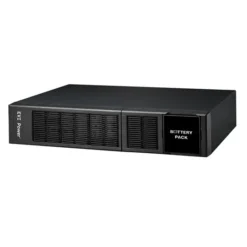
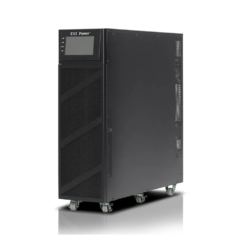
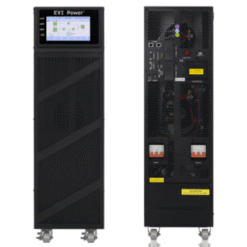
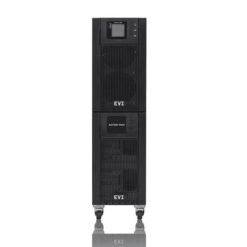
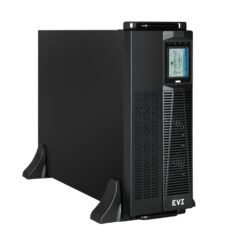

Mercury UPS
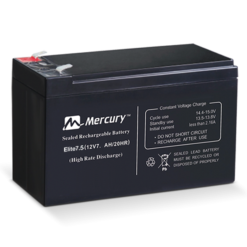
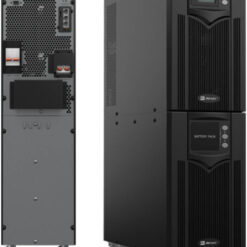
Mercury UPS
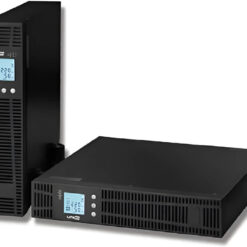
Mercury UPS
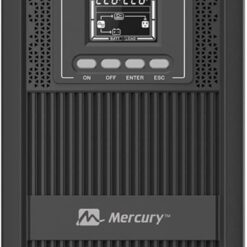
Buy UPS Systems in Kenya
UPS systems in Kenya help protect computers, servers and other equipment from sudden power cuts. Supreme Networks offers backup power solutions for homes, offices and businesses.
A UPS provides temporary power when mains electricity fails. Selected models also regulate voltage and support controlled equipment shutdown.
Choose a UPS based on its power rating, technology and battery runtime. The correct system depends on your equipment and power needs.
Types of Uninterruptible Power Supply Systems
Online UPS Systems
Online UPS systems use double-conversion technology to provide regulated output power. They are often used for critical business equipment.
Common applications include servers, network equipment, data centres and important office systems.
Line-Interactive UPS Systems
Line-interactive UPS systems provide battery backup and voltage regulation. They can correct certain voltage changes without using battery power.
These systems may suit office computers, workstations and networking devices.
Offline UPS Systems
Offline UPS systems provide basic backup power for suitable devices. They switch to battery power when mains electricity fails.
These models may suit home computers and basic office equipment.
Rackmount UPS Systems
Rackmount UPS systems fit into compatible server racks and network cabinets. They help protect supported rack-mounted equipment.
Check rack height, depth, load capacity and battery support before ordering.
Tower UPS Systems
Tower UPS systems use a freestanding design. They can suit offices, equipment rooms and other suitable installations.
Compare the available floor space, cooling needs and output connections.
UPS Systems with External Batteries
Some UPS models support approved external battery packs. These can increase backup time when installed correctly.
Always confirm battery compatibility, charging limits and installation requirements.
Three-Phase UPS Systems
Three-phase UPS systems are used in suitable larger electrical installations. They may serve data centres and critical business systems.
Choose these systems with help from a qualified electrical professional.
UPS Capacity Guide – 650VA to 10KVA and Above
650VA UPS
A 650VA UPS may suit a low-power computer setup or selected network devices. Check its watt rating and expected runtime.
1KVA UPS
A 1KVA UPS may suit a small office workstation or suitable networking equipment. Actual support depends on the connected load.
2KVA UPS
A 2KVA UPS can support larger loads than many entry-level models. Compare the output watt rating and battery capacity.
3KVA UPS
A 3KVA UPS may suit selected servers, network cabinets and business systems. Some models support external batteries.
5KVA UPS
A 5KVA UPS may suit larger business loads. Check the electrical installation, output capacity and required backup time.
10KVA UPS
A 10KVA UPS is often considered for higher-capacity business applications. Proper load planning and installation are important.
Higher-Capacity UPS Systems
Larger installations may need UPS systems above 10KVA. These systems require careful electrical design and capacity planning.
UPS Brands for Business Power Backup
APC UPS Systems
APC offers backup power solutions for different applications. Its product families include models for workstations, networks and servers.
Compare each APC UPS by capacity, output type, runtime and management features.
Mecer UPS Systems
Mecer offers UPS systems for selected home, office and business applications. Different models provide different backup and power protection features.
Mercury UPS Systems
Mercury offers UPS products for suitable power backup needs. Compare capacity, technology and battery specifications before buying.
EVI UPS Systems
EVI offers UPS equipment for selected business applications. Depending on the model, options may include online, rackmount and larger power systems.
How to Choose the Right UPS
Calculate the Total Power Load
List all devices that need backup power. Check their actual or rated power use in watts.
Add the loads and allow suitable headroom when selecting a UPS.
Understand VA, kVA and Watts
UPS capacity is commonly shown in VA or kVA. The output watt rating is also important.
A 1KVA UPS is rated at 1,000VA. However, its supported watt load depends on the model's power factor.
Estimate the Required Backup Time
Decide how long your equipment must run without mains power. Runtime depends on load, battery capacity and battery condition.
Use the manufacturer's runtime chart for a reliable estimate.
Choose the Right UPS Technology
Offline, line-interactive and online UPS systems offer different levels of power protection.
Choose the technology based on the equipment and power conditions.
Check the Output Waveform
Some UPS models provide pure sine wave output. Others use a simulated sine wave on battery power.
Check which output type your equipment requires.
Check Input and Output Connections
Review the UPS plug and socket types. Ensure they match your installation and connected devices.
Consider Battery Replacement
UPS batteries wear out over time. Check the supported replacement battery type and maintenance requirements.
Review Monitoring Features
Some UPS models support USB, network or other monitoring options. These may help businesses track power events.
UPS Systems for Different Applications
UPS for Office Computers
A suitable UPS provides temporary power during an outage. It can give staff time to save work and shut down safely.
UPS for Servers
Servers may need stable power and controlled shutdown. Online UPS systems are often considered for critical server applications.
UPS for Network Switches
Network switches can use backup power to maintain local connections. Check the switch load, including connected PoE devices.
UPS for Routers and Internet Equipment
A UPS can keep compatible routers and modems powered during an outage. Internet access also depends on the service provider.
UPS for CCTV Systems
Security installations may need backup power for recorders, cameras and network switches. Calculate the total system load.
UPS for Point-of-Sale Systems
Retail businesses may use UPS systems for compatible POS terminals, computers and network devices.
UPS for Schools and Institutions
Schools and institutions may need backup power for computers, servers and communication equipment.
UPS for Data Centres
Data centres need carefully planned power protection. UPS selection should consider capacity, redundancy and maintenance needs.
UPS Batteries and Power Distribution
UPS Replacement Batteries
Replacement batteries must match the UPS model's requirements. Check voltage, capacity, chemistry and physical size.
External Battery Packs
Approved external battery packs can extend runtime on supported UPS models. Follow the manufacturer's installation instructions.
Power Distribution Units
Power distribution units supply electricity to multiple devices. They are useful in server rooms and network cabinets.
Surge Protection
Some UPS systems include surge protection. Protection levels vary by model and do not replace proper electrical safety measures.
UPS Maintenance and Battery Care
Keep the UPS Ventilated
Install the UPS in a suitable location with enough airflow. Follow the manufacturer's temperature and clearance requirements.
Avoid Overloading
Do not connect loads above the UPS output rating. Overloading can cause shutdown or damage.
Check Battery Health
Battery performance declines with age and use. Follow the recommended testing and replacement schedule.
Use Qualified Technicians
Battery replacement and electrical work can present serious hazards. Use qualified personnel where required.
Frequently Asked Questions About UPS Systems
Where Can I Buy UPS Systems in Kenya?
Supreme Networks supplies UPS equipment in Nairobi. Contact us for current models, prices and delivery options.
What Does UPS Stand For?
UPS stands for Uninterruptible Power Supply. It provides temporary power when the main electricity supply fails.
Which UPS Is Best for a Computer?
Choose a UPS that supports the computer's watt load and required backup time. Also check the output waveform.
Which UPS Is Best for a Server?
Online double-conversion UPS systems are often used for critical servers. The correct choice depends on the installation.
What Is the Difference Between Online and Offline UPS?
An offline UPS switches to battery power during an outage. An online double-conversion UPS continuously supplies its output through its conversion system.
What Is a Line-Interactive UPS?
A line-interactive UPS provides battery backup and can regulate certain voltage changes without switching to battery power.
How Long Will a 1KVA UPS Last?
Runtime depends on the connected load, battery capacity and UPS design. Check the specific model's runtime chart.
Can a 3KVA UPS Run for Two Hours?
It may be possible with a suitable load and battery setup. Runtime cannot be determined from the 3KVA rating alone.
Can I Connect External Batteries to a UPS?
Only use approved external battery packs with UPS models designed to support them.
Can a UPS Power a Router and Switch?
Yes, if the combined load is within the UPS capacity. Check the required backup time as well.
What Is a Rackmount UPS?
A rackmount UPS is designed to fit into a compatible equipment rack. It is commonly used with network and server equipment.
Does a UPS Protect Against Voltage Changes?
Many UPS systems provide some voltage protection. The exact features depend on the UPS technology and model.
How Often Should UPS Batteries Be Replaced?
Battery life depends on temperature, use and battery type. Follow the manufacturer's testing and replacement guidance.
Do You Supply UPS Systems for Bulk Orders?
Contact Supreme Networks for quotations on suitable business and institutional orders.
Order UPS Systems in Nairobi, Kenya
Shop UPS systems in Kenya at Supreme Networks. Explore online, line-interactive and rackmount UPS equipment for home and business power backup.
Contact us for product details, quotations and bulk orders. Delivery options are available across Kenya.
Visit Supreme Networks at Queensway House, 3rd Floor, Kaunda Street, Nairobi.
Call 0711664906 or email [email protected].