
Buy Dell desktop computers in Kenya at Supreme Networks. Explore Dell OptiPlex business PCs, small form factor desktops, Micro computers, tower systems, all-in-one PCs and professional workstations for offices, businesses, institutions and home computing.
Shop Dell OptiPlex Desktops for everyday business productivity, accounting, administration, customer service and corporate workstations. OptiPlex systems are available in different generations and configurations, so compare the exact processor, RAM, storage and connectivity before purchasing.
Discover Dell Small Form Factor Desktops for offices where desk space is limited. These compact computers can provide practical workstation solutions while retaining selected upgrade options, depending on the model.
Explore Dell Micro Desktop Computers for reception desks, office workstations and other space-conscious installations. Micro systems provide a compact alternative to conventional tower PCs.
Choose Dell Tower Desktops when internal expansion and additional hardware flexibility are important. Available expansion options depend on the system model and configuration.
For workspaces requiring an integrated display, compare Dell All-in-One Desktop Computers. These combine the computer and screen in one unit, helping reduce the number of separate workstation components.
Professional users can also consider Dell Precision Workstations for compatible engineering, CAD, design and other demanding applications.
Compare Dell desktops with Intel Core i3, Core i5, Core i7, Core Ultra or workstation-class processors, depending on the generation and model. Review memory capacity, SSD storage, graphics capabilities, operating system and product condition.
Supreme Networks supplies Dell desktop computers in Nairobi, with delivery options across Kenya. Contact us for quotations, corporate procurement, bulk orders and assistance selecting a suitable configuration.
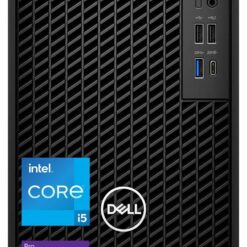
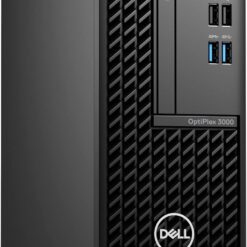
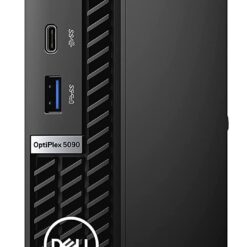
Dell Desktops
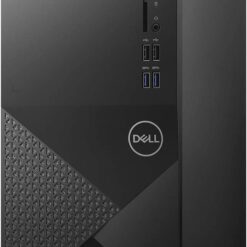
Dell Desktops
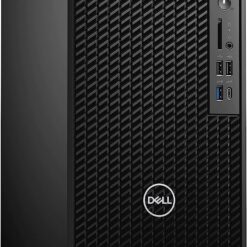
Dell Desktops
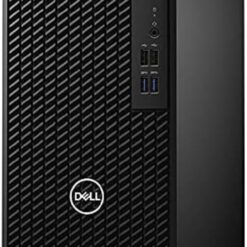
Dell Desktops
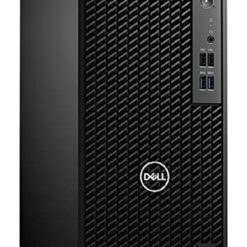
Buy Dell Desktop Computers in Kenya
Dell desktop computers in Kenya provide computing solutions for businesses, offices, educational institutions, professional workstations and home users. Supreme Networks supplies Dell computing equipment in Nairobi, with delivery options across Kenya.
Explore Dell OptiPlex business desktops, compact Micro PCs, small form factor computers, tower systems, all-in-one desktops and professional workstations. Compare available configurations based on processor generation, RAM, SSD storage, operating system and connectivity.
Dell Desktop Computer Series
Dell OptiPlex Desktop Computers
Dell OptiPlex is a business desktop family designed for office productivity, managed workstations and corporate computing.
OptiPlex systems are available across different generations and form factors, including Micro, Small Form Factor and Tower designs.
They can support compatible accounting, administration, office productivity and business applications.
Dell Precision Workstations
Dell Precision workstations are designed for professional computing workloads that may require higher processing power, additional memory or specialised graphics hardware.
Depending on the configuration, they may suit engineering, CAD, 3D modelling, software development and other technical applications.
Check your software's hardware requirements before selecting a workstation.
Dell All-in-One Desktop Computers
Dell all-in-one desktop computers integrate the main computer components and display into a single unit.
They can suit offices, reception areas and workspaces where reducing separate equipment is important.
Compare display size, processor, memory, storage and available ports before purchasing.
Dell Desktop Computer Form Factors
Dell Micro Desktop Computers
Dell Micro desktops provide compact computing solutions for environments with limited workspace.
They can be considered for office desks, reception counters, digital signage and suitable business applications.
Before ordering, check the available ports, mounting options, memory configuration and upgrade limitations.
Dell Small Form Factor Desktops
Dell Small Form Factor desktops offer a compact alternative to traditional tower systems.
They are widely suited to office environments and business workstations where space efficiency matters.
Expansion capabilities depend on the exact chassis and motherboard configuration.
Dell Tower Desktop Computers
Dell tower desktops use a larger computer chassis and may provide additional internal expansion options compared with compact systems.
They can suit business workstations requiring additional storage or compatible expansion cards.
Always check the power supply, available slots and supported components before planning upgrades.
Dell All-in-One Computers
All-in-one computers combine a display and computer into one unit.
They provide a tidy workstation arrangement, although some models have more limited upgrade options than conventional desktop towers.
Dell Desktop Processors
Dell Core i3 Desktop Computers
Intel Core i3 configurations can support many everyday office applications, including email, document processing, browsing and basic business software.
Performance varies significantly between processor generations.
Dell Core i5 Desktop Computers
Dell Core i5 desktops are commonly considered for office productivity, accounting, administration and multitasking.
When comparing models, check the complete processor number and generation rather than relying only on the Core i5 name.
Dell Core i7 Desktop Computers
Dell Core i7 desktops can provide additional processing capability for suitable demanding applications.
They may be considered for heavier multitasking, development tools and selected professional workloads.
Dell Core Ultra Desktop Computers
Selected newer Dell desktop generations use Intel Core Ultra processors.
Compare the exact processor model, system configuration and software requirements before choosing one.
Dell Xeon Workstations
Selected Dell Precision workstation configurations use workstation-class processors such as Intel Xeon.
These systems may be appropriate for specialised professional workloads where the software benefits from the available hardware capabilities.
Dell Desktop RAM Options
8GB RAM Dell Desktops
8GB RAM can support lighter office workloads, general browsing and basic productivity applications.
16GB RAM Dell Desktops
16GB RAM provides additional memory for multitasking, business applications and modern office computing.
It is a useful starting point for many business desktop configurations.
32GB RAM Dell Desktops
32GB RAM may suit users running demanding applications, development environments, large spreadsheets or virtual machines.
Memory Upgrade Compatibility
Check the memory generation, number of slots, supported capacity and existing configuration before purchasing upgrades.
Upgrade options vary between Micro, Small Form Factor, Tower and All-in-One systems.
Dell Desktop Storage Options
256GB SSD Dell Desktops
A 256GB SSD can provide storage for the operating system and essential applications where data requirements are modest.
512GB SSD Dell Desktops
A 512GB SSD provides additional space for office applications, documents and business files.
1TB SSD Dell Desktops
A 1TB SSD can suit users who require more local storage for applications and project files.
SSD vs HDD in Dell Computers
Solid-state drives generally provide faster storage access and application loading than traditional mechanical hard drives.
For everyday productivity, SSD storage can improve system responsiveness.
Check whether the computer supports additional storage drives if future expansion is required.
Dell Desktops for Business and Office Use
Corporate Workstations
Dell business desktops can support standardised workstations across different office departments.
When buying multiple computers, consistent specifications may simplify deployment, software management and support.
Accounting and Finance
Dell desktops can run compatible accounting software, payroll applications, spreadsheets and financial reporting tools.
Consider suitable RAM, SSD storage and monitor configurations.
Reception and Customer Service
Compact Dell Micro or Small Form Factor systems may suit reception desks and customer service counters.
Check compatibility with printers, barcode scanners and other business peripherals.
Schools and Computer Laboratories
Educational institutions may require Dell desktops for computer laboratories, training rooms and administrative offices.
Consider software compatibility, network connectivity, warranty conditions and maintenance requirements.
Home Offices
Dell desktop computers can support compatible remote-work applications, web browsing, document processing and everyday computing.
Dell Precision Workstations for Professional Applications
Engineering and CAD
Engineering and CAD applications may require dedicated graphics hardware, higher memory capacity and suitable processors.
Check the software developer's recommended specifications and any hardware certification requirements.
Graphic Design
Design applications may benefit from appropriate processor performance, RAM, graphics capability and SSD storage.
Software Development
Software development workloads vary from basic coding to large builds, containers and virtual machines.
Choose hardware based on the tools and environments you intend to run.
Data Analysis
Data analysis applications may benefit from additional memory, processing power and storage performance.
Dell Desktop Connectivity
USB Ports
USB ports allow compatible keyboards, mice, printers, external storage and other peripherals to connect to a desktop computer.
Check the number and types of available USB ports.
HDMI and DisplayPort
Many Dell business desktops provide video connections such as DisplayPort or HDMI, depending on the model.
Confirm the supported display resolution and number of external monitors.
Ethernet Networking
Wired Ethernet connectivity is commonly used in office desktop deployments.
It can provide a practical connection to compatible network switches and routers.
Wi-Fi and Bluetooth
Wireless connectivity varies by Dell desktop configuration.
Some systems include Wi-Fi and Bluetooth, while others require optional hardware.
Dell Desktop Operating Systems
Windows 11 Pro Dell Desktops
Windows 11 Pro provides business-oriented operating system features for compatible workstations.
Confirm whether the selected desktop includes a genuine Windows 11 Pro licence.
Windows 11 Home Dell Desktops
Windows 11 Home may be suitable for compatible everyday computing and home applications.
FreeDOS or No Operating System
Some desktop configurations may be supplied without a Windows licence.
Always verify the operating system included in the quoted computer.
New vs Refurbished Dell Desktops
New Dell Desktop Computers
New desktop computers should be clearly identified by their exact model, configuration and applicable warranty terms.
Refurbished Dell Desktop Computers
Refurbished computers may provide a lower-cost option for suitable applications.
When considering a refurbished system, check the processor generation, condition, storage health, included accessories and warranty.
Confirm Product Condition Before Ordering
Always confirm whether a desktop computer is new, refurbished or another stated condition.
Do not assume that an older Dell OptiPlex model is new or refurbished based on its model number alone.
Dell Desktop Accessories
Dell Computer Monitors
Many Dell desktop systems require a separate monitor.
Browse compatible Dell business monitors, Full HD displays and USB-C hub monitors.
Keyboards and Mice
Choose suitable wired or wireless keyboards and mice based on your workstation requirements.
UPS Power Backup
A compatible UPS can provide temporary backup power during certain electricity interruptions.
Select the UPS according to the connected load and required backup time.
Networking Accessories
Ethernet cables, switches and wireless adapters may be needed for office desktop deployments.
How to Choose the Right Dell Desktop
1. Identify the Main Application
Determine whether the computer will be used for office productivity, accounting, education or professional applications.
2. Choose the Form Factor
Compare Micro, Small Form Factor, Tower and All-in-One systems based on available space and expansion requirements.
3. Compare Processor Generation
Check the complete processor model and generation to understand its capabilities.
4. Select RAM Capacity
Choose enough memory for your software and multitasking requirements.
5. Review SSD Storage
Consider both current storage needs and future expansion requirements.
6. Confirm the Operating System
Check whether Windows is installed and whether the required licence is included.
7. Check Monitor Compatibility
Verify the desktop's video outputs and supported display configurations.
8. Review Upgrade Options
Check memory slots, storage bays and available expansion options.
9. Confirm Warranty and Product Condition
Verify whether the desktop is new or refurbished and review the applicable warranty terms.
Dell Desktop Computers for Corporate and Bulk Orders
Supreme Networks supports enquiries for Dell desktop computer procurement by businesses, institutions and organisations.
When requesting a quotation, provide your preferred Dell model, processor, RAM, SSD capacity, operating system, quantity and required accessories.
For complete office deployments, indicate whether monitors, keyboards, mice, UPS units or networking accessories are also needed.
Frequently Asked Questions About Dell Desktops
Where Can I Buy Dell Desktop Computers in Kenya?
Supreme Networks supplies computing equipment in Nairobi. Contact us to enquire about Dell desktop configurations and delivery options across Kenya.
What Is Dell OptiPlex?
Dell OptiPlex is a family of business desktop computers available across different generations and form factors.
What Is the Difference Between Dell Micro and Small Form Factor Desktops?
Micro desktops are generally smaller, while Small Form Factor systems may offer different internal expansion options.
Are Dell Core i5 Desktops Good for Office Work?
Many Core i5 configurations are suitable for office productivity, but performance depends on processor generation, memory, storage and workload.
Is 8GB RAM Enough for a Dell Desktop?
8GB may support lighter workloads. For more demanding multitasking, 16GB or more may be preferable.
Should I Buy a Dell Desktop with an SSD?
SSD storage generally provides faster access times than a mechanical hard drive and is useful for modern computing.
Can Dell Desktops Connect to Two Monitors?
Many Dell desktop systems support multiple displays, but capabilities depend on the graphics hardware and available ports.
Do Dell Desktops Come with a Monitor?
Not always. Some products include only the system unit, while others are sold as complete sets or all-in-one computers.
Do Dell Desktop Computers Include Windows?
Operating system inclusion depends on the configuration. Confirm the installed edition and licence before ordering.
Can Dell Desktops Be Upgraded?
Many models support memory or storage upgrades, but available options depend on the exact system.
Do You Supply Dell Desktops for Bulk Orders?
Contact Supreme Networks with your required specifications and quantities for a quotation.
Order Dell Desktops in Nairobi, Kenya
Shop Dell desktop computers in Kenya at Supreme Networks. Explore OptiPlex business PCs, compact desktop systems, tower computers and professional workstations.
Contact us for product specifications, quotations, corporate orders and delivery enquiries.
Visit Supreme Networks at Queensway House, 3rd Floor, Kaunda Street, Nairobi.
Call 0711664906 or email [email protected].